

Bugpacker
Records browser bugs into local ZIP reports containing marked screenshots, console errors, failed network requests, HAR data, DOM and browser details. It drafts editable reproduction steps, provides annotation tools, and replaces sensitive form values before export.
Cost / License
- Freemium (Subscription)
- Proprietary
Platforms
- Google Chrome
Features
Properties
- Privacy focused
Features
- Software Testing Tool
- Bug reporting
Bugpacker News & Activities
Recent activities
Bugpacker information
What is Bugpacker?
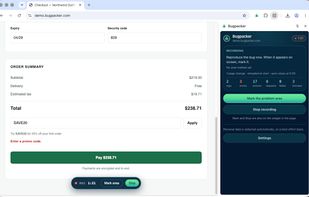
Bugpacker transforms issues into actionable bug reports for developers. Simply record, replicate the problem, and highlight the error area. Bugpacker then provides a ZIP file that can be attached to Jira, GitHub, Linear, or an email.
It captures screenshots, console output, uncaught errors, Content Security Policy violations, failed network requests, HAR of the session, DOM at the moment of stopping, form field states, browser details, and framework versions.
Bugpacker also drafts reproduction steps based on your actions, with real selectors and console errors. It analyses the capture and provides findings with a confidence level, separating observations from defects.
All data remains on your machine without any need for account creation, uploads, or telemetry. The package is built in your browser and saved to your downloads folder. The only network request made is a license check with the payment provider.
Privacy scrubbing is always active, ensuring field values are never recorded, and sensitive information is replaced with placeholders. Screenshots mask password and payment fields.
You can annotate your report with boxes, arrows, numbered pins, text labels, and a mask brush.
Pricing includes a 14-day free trial. Capture, review, annotation, and scrubbing remain free, while a license unlocks the export.


