

Brumora
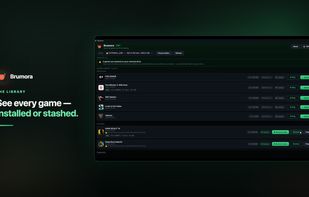
Stashes Steam games onto an external drive and restores them byte-for-byte — no re-download. Files are checksum-verified before anything is deleted; operations are journaled and reversible. Unplug the drive between uses. Free for 3 stashed games; one-time Pro unlock. Windows 10/11.
Cost / License
- Freemium (Pay once)
- Proprietary
Platforms
- Windows
Features
Properties
- Lightweight
- Privacy focused
Features
- Works Offline
- No registration required
- Dark Mode
- Ad-free
Brumora News & Activities
Recent activities
- Brumora liked Brumora
- Brumora added Brumora
- Brumora added Brumora as alternative to Steam Mover and GameSave Manager
Brumora information
What is Brumora?
Brumora is a Windows app for managing Steam game storage through "stashing": moving installed games you're not currently playing onto an external drive, then restoring them later byte-for-byte with no re-download and no internet connection required.
Unlike Steam's built-in "move install folder" (which requires the destination drive to stay connected), Brumora tells Steam a stashed game is uninstalled — so the drive can be unplugged and stored away. Plugging it back in and restoring returns the game exactly as it was, with Steam's install records intact: no download, no file verification pass. Saves, mods, and configs inside the game folder travel with it, along with DLC and Workshop content.
Because the app moves and deletes game files, it is built data-safety-first: every file is checksum-verified on the destination before the original is deleted, operations are journaled and all-or-nothing with automatic rollback, and interrupted transfers resume rather than starting over. Works with NTFS and exFAT drives, external SSDs and HDDs — cold storage doesn't require a fast drive.
The free tier allows 3 stashed games at a time with unlimited, ungated restores. A one-time in-app purchase (no subscription) unlocks unlimited stashes. Requires Windows 10/11 and Steam; an external or secondary drive with free space.


