




Booklet AI
Like
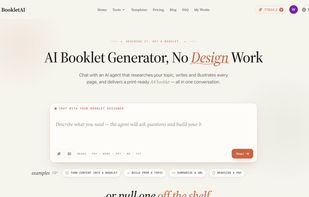
An AI tool that turns a topic, your files, or a URL into a print-ready multi-page A4 booklet through a chat conversation.

Cost / License
- Freemium (Pay once or Subscription)
- Proprietary
Application type
Platforms
- Online


Features
Highlights All activities
Booklet AI News & Activities
Recent activities
 Mauricio B. Holguin added Booklet AI as alternative to Typeset, Piktochart, Venngage, AIWriteBook and 3 more
- Mauricio B. Holguin removed all alternatives from Booklet AI
- maowei8888 added Booklet AI
- Mauricio B. Holguin updated Booklet AI
 maowei8888 added Booklet AI as alternative to FlipHTML5, Issuu, Flipsnack, FlippingBook and 11 more


Developed by
 mao wei
 Licensing
Proprietary and Freemium product.Pricing
One time purchase that costs $139, and / or subscription ranging between $29 and $79 per month + free version with limited functionality.Alternatives
7 alternatives listedBadge
Get an embeddable badge for Booklet AISupported Languages


No comments or reviews, maybe you want to be first?