





BlueTicks for Gmail
Like
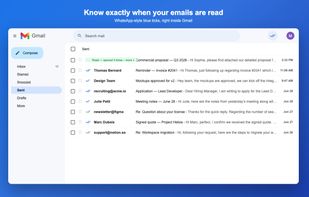
Read receipts for Gmail without OAuth: one tick when your email is sent, two blue ticks when it has been opened. Chrome and Firefox.

Cost / License
- Freemium (Subscription)
- Proprietary
Platforms
- Google Chrome
- Mozilla Firefox


Features
BlueTicks for Gmail News & Activities
Highlights All activities
Recent activities
- Paul updated BlueTicks for Gmail
- blueticks added BlueTicks for Gmail
 blueticks added BlueTicks for Gmail as alternative to Mailsuite, Is Opened, Mailcastr, Doubletick for Gmail and 4 more

BlueTicks for Gmail information
Developed by
BlueTicksLicensing
Proprietary and Freemium product.Pricing
Subscription ranging between $1 and $4 per month + free version with limited functionality.Alternatives
8 alternatives listedBadge
Get an embeddable badge for BlueTicks for GmailSupported Languages


No comments or reviews, maybe you want to be first?