BetulaPDF was added to AlternativeTo by tomyan112 on and this page was last updated .
No comments or reviews, maybe you want to be first?
Official Links
AppStores & Other Links
What is BetulaPDF?
BetulaPDF
BetulaPDF is a powerful and easy-to-use PDF toolkit for viewing, editing, organizing, comparing, and automating PDF documents. Whether you're a student, professional, or business user, BetulaPDF provides the tools you need to work with PDF files efficiently.
Features
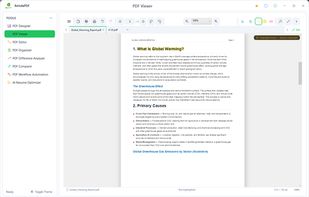
PDF Viewer – Open and view PDF documents with no restrictions.
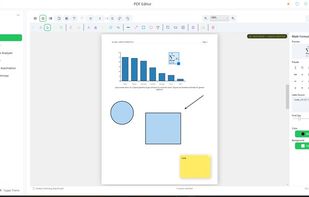
PDF Editor – Edit text and content in PDF documents.
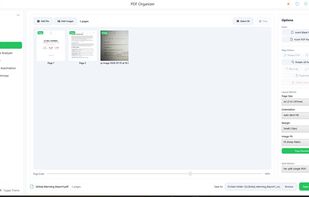
PDF Organizer – Merge, split, reorder, rotate, and organize PDF pages.
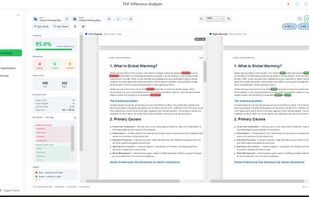
PDF Difference Analyzer – Identify differences between PDF documents.
PDF Comparer – Compare two PDF files to detect changes.
PDF Workflow Automation – Automate repetitive PDF tasks.
AI Resume Optimizer – Use AI to improve and optimize your resume with professional suggestions.
Free Version
BetulaPDF is free to download and includes a fully functional PDF Viewer with no usage limits.
Some advanced features are available with limited usage in the free version:
PDF Editor: Limited number of document saves.
PDF Organizer: Can organize and add pages for PDF documents containing up to 3 pages.
PDF Difference Analyzer: Limited number of analyses.
PDF Comparer: Limited number of comparisons.
PDF Workflow Automation: Limited number of workflow executions.
AI Resume Optimizer: Limited number of AI optimization requests.
Upgrade to the premium version to remove these limitations and enjoy unlimited access to all supported features.
AI Features
BetulaPDF includes AI-powered features that generate content, such as resume improvement suggestions. AI-generated results may vary and should be reviewed before use.









No comments or reviews, maybe you want to be first?