BedrockOnLinux icon
BedrockOnLinux icon

BedrockOnLinux

Run Minecraft Bedrock for Windows (GDK edition) on Linux with native Microsoft/Xbox identity, multiplayer, friends and Realms.
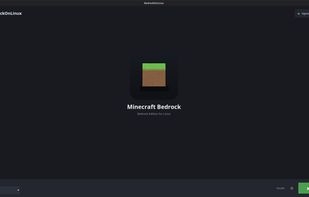
BedrockOnLinux screenshot 1

Cost / License

  • Free
  • Open Source (MIT)

Platforms

  • Linux
  • Debian
  • Ubuntu
  • Linux Mint
  • Flatpak
  • AppImage
0likes
0comments
0articles

Features

BedrockOnLinux News & Activities

Highlights All activities

Recent activities

BedrockOnLinux information

  • Developed by

    FR flagWyze3306
  • Licensing

    Open Source (MIT) and Free product.
  • Written in

  • Alternatives

    1 alternatives listed
  • Supported Languages

    • English

AlternativeTo Categories

GamesGaming Software

GitHub repository

  •  315 Stars
  •  10 Forks
  •  23 Open Issues
  •   Updated  
View on GitHub

Popular alternatives

View all
BedrockOnLinux was added to AlternativeTo by Darlene Sonalder on and this page was last updated .
No comments or reviews, maybe you want to be first?

What is BedrockOnLinux?

Run Minecraft Bedrock for Windows (GDK edition) on Linux with native Microsoft/Xbox identity, multiplayer, friends and Realms.

What 2.0 provides

BedrockOnLinux installs the Minecraft version you select, prepares a managed Wine prefix and runs the game through a reviewed WineGDK-based GDK-Proton engine. No compiler or Windows installation is required on the player’s machine.

Native Xbox identity: XGame configuration, XUser, request signatures, gamertags, privileges and the XSAPI context are implemented by WineGDK. Online play: the Friends list, invitations, joining friends, public servers and Realms use that native identity. Realms receives a dedicated XSTS token for the Bedrock Realms audience instead of a generic Xbox token. No Minecraft memory patcher: the managed engine contains no code that scans or rewrites the running Minecraft process. Packaging rejects remnants of the former process-memory implementation. Static, fingerprinted game and Proton compatibility fixups are still applied before launch. Working native file chooser: the WinAppSDK file picker used by Minecraft is implemented in Wine for both Windows architectures, including single and multiple selection. In-game world and skin selection opens the desktop file dialog instead of terminating the game. Graphics safety: the launcher checks the existing display state and text kernel logs without opening Vulkan or OpenGL. A known unsafe session is blocked before Wine starts. Verified updates: engine archives, critical runtime files and dependency payloads are SHA-256 pinned. A rejected update does not replace a working engine.

The Microsoft sign-in flow runs locally between the launcher, Microsoft and Xbox services. BedrockOnLinux does not use an account relay or multiplayer proxy.

