Batch Image Converter Alternatives

Batch Image Converter is described as 'Convert multiple images, photos, and pictures between 30+ formats: JPG, PNG, GIF, TIFF, BMP, JP2, J2K, TGA, PSD, RAW, DDS, PNM, WMF, ICO, SGI, HDR, LBM, MNG, XBM, XPM, PCD, PCX, PIC, JNG, WBM, G3... Additionally includes 120+ Actions and Effects' and is a Image Converter in the photos & graphics category. There are more than 10 alternatives to Batch Image Converter for Windows, Web-based, Mac, Self-Hosted and SaaS. The best Batch Image Converter alternative is PNG to ICO, which is both free and Open Source. Other great apps like Batch Image Converter are Image Converter Plus, GraphicConverter, PixTrim and Online Image Converter.

Copy a direct link to this comment to your clipboard
Batch Image Converter alternatives page was last updated

Alternatives list

  1. Pixle icon
     Like
    Copy a direct link to this comment to your clipboard

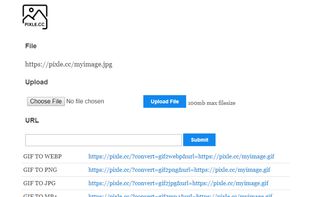
    Pixle controlled conversions is a free easy-to-use URL system developed for those who need to convert a variety of files via URL command line. Simply pass in the URL of any image file with the correct parameters to convert your jpg, png, gif, or webp image and it will download...

    Cost / License

    • Free
    • Proprietary

    Application type

    Platforms

    • Online
    • Software as a Service (SaaS)
     
    • Pixle is the most popular SaaS alternative to Batch Image Converter.

    • Pixle is Free and ProprietaryBatch Image Converter is Paid and Proprietary
  2. Copy a direct link to this comment to your clipboard

    Convert, resize and rename thousands of image files in batch mode. Select the images that you want to convert, choose an image format, select the folder where you want your converted images to be saved and you're done!.

    Cost / License

    • Pay once
    • Proprietary

    Application type

    Platforms

    • Mac
     
  3. Copy a direct link to this comment to your clipboard

    Photopus Pro is an easy to use batch image processing to simplify the process to convert, add watermarks (text and image), resize, transform, touch-up, rename, and apply effects to your digital images.

    Cost / License

    • Pay once
    • Proprietary

    Application type

    Platforms

    • Windows
     
  4. Copy a direct link to this comment to your clipboard

    Bulk image resize, rename, effects, and more.

    Cost / License

    • Free
    • Proprietary

    Platforms

    • Online
     
  5. Copy a direct link to this comment to your clipboard

    SysTools Image converter software enables you to export multiple images to the desired file format. Using this tool user convert images to PDF, DOC, DOCX, HTML. The best part of this software is that it is capable enough to convert multiple images.

    Cost / License

    • Freemium (Pay once)
    • Proprietary

    Application type

    Platforms

    • Windows
     
  6. EdiKer icon
     Like
    Copy a direct link to this comment to your clipboard

    Bulk Resize, Crop, Watermark, Compress multiple images at once!.

    Cost / License

    • Free
    • Proprietary

    Platforms

    • Mac
    • Windows
    • Online
     
  7. Copy a direct link to this comment to your clipboard

    Batch PSD to JPG is a free batch Adobe Photoshop PSD image to JPG image converter. A design tool for converting psd design or flatten multi layer psd design to jpg images with quality that you can set based on your preferences an requirements.

    17 Batch PSD to JPG alternatives

    Cost / License

    • Free
    • Proprietary

    Application type

    Platforms

    • Windows
     
  8. Copy a direct link to this comment to your clipboard

    Batch PNG to JPG is a handy png to jpg converter. For you who need to do a batch image conversion from png picture to jpg image. It will flatten multilayer png and for multi frame png it will convert the first frame only.

    Cost / License

    • Free
    • Proprietary

    Application type

    Platforms

    • Windows
     
You are at page 2 of Batch Image Converter alternatives