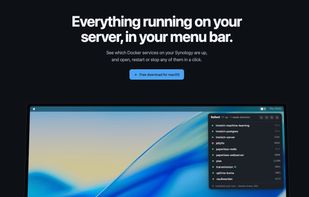
Ballast is a free, open-source Mac menu bar app that tells you when a Synology container stops, flags image updates and restarts anything in a click.
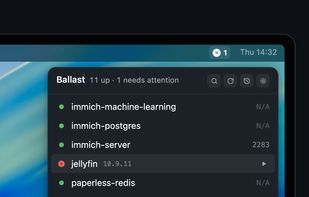
It connects to your NAS over SSH with your existing key and checks Docker every 30 seconds, so the menu always shows which containers are running, which have stopped and which are failing their healthcheck. Click a container to open its web UI in your browser, or hover and right-click to start, stop or restart it.
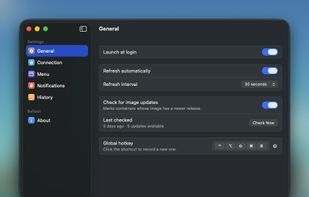
Ballast also checks each image against its own registry, including ones hosted outside Docker Hub like LinuxServer’s lscr.io, which Synology’s Container Manager often misses. When a newer image is out you’ll see a small arrow next to the container; Ballast never updates anything itself, but for Compose containers it can copy the exact commands you’d run over SSH.
Features:
Live status from Docker’s state and each container’s healthcheck
Notifications when a container crashes or exits
Update flags for newer images, checked against each registry
Start, stop and restart from the menu
History of exits, crashes, restarts and updates (⌘Y)
Optional Compose labels to set a container’s URL, display name or group, or hide it
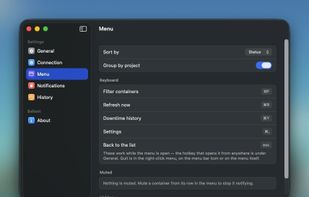
Global hotkey (⌥⌘B), plus filter and refresh shortcuts
On the NAS side, setup installs a small root-owned script that can read from Docker and start, stop or restart containers, and nothing else. Ballast doesn’t expose the Docker socket, run a daemon or store credentials, and there’s no account or analytics. A setup window walks you through enabling SSH, adding a key and installing the script, with every command ready to copy.







 Bryan Maniotakis

No comments or reviews, maybe you want to be first?