Pick any AI. Use any tool. Render your data any way you like. Aynite sets your creativity free.
What you can do with Aynite:
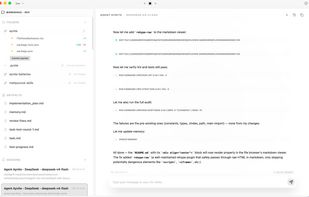
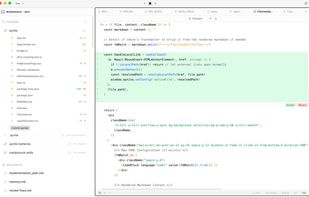
AI coding agent
Aynite is a capable AI coding agent. It reads your files, writes code, runs shell commands, manages git operations, and works across all major AI providers (OpenAI, Anthropic, Google, DeepSeek, Ollama). Is it perfect? No. But it handles most coding tasks well — and it's already self-evolving.
Transform any data into any view
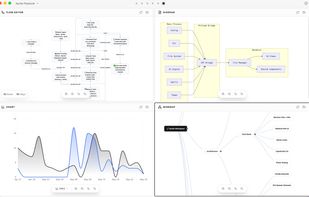
Aynite's core idea: AI can generate standalone views on the fly. Each view declares its expected data schema. Aynite's AI understands those schemas and converts your raw data — CSV, JSON, clipboard text, anything — into the right format for any view.
So instead of fighting with spreadsheet apps or wrestling with charting libraries, you just:
- Pick your data — a file, a folder, clipboard content, an API response
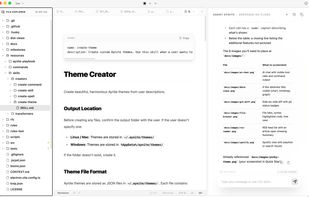
- Pick a view — chart, graph, mindmap, diagram, flow, canvas, stock, theme
- Let AI handle the transformation — try the built-in skill: /transform-to-dataview
Built-in today: 8 dataviews (chart, graph, flow, diagram, mindmap, canvas, stock, theme) + 6 file viewers (PDF, image, audio, video, HTML, markdown). More are arriving. And because a view is just a component that reads a file and renders it, you can build your own anytime.
The result? You'll never be locked into a fixed interface again. Your data, your views, your choice.
Build any integration
RSS and Spotify aren't "plugins you install" — they're reference implementations of what's possible. Every built-in integration shows you how to connect Aynite's AI, data, and views together for any third-party service.
This opens up endless possibilities:
- Build slides from your notes or outlines — try /create-slides
- Transform a mindmap into a structured document, or a table into a flowchart
- Discover new music by asking AI to analyze your Spotify playlists
- Summarize RSS feeds and turn them into a personal briefing dashboard
- Generate stock charts with AI-powered analysis — skills for fetching and analyzing financial data are on the way
Creativity is in your hands. Aynite gives you the building blocks; you decide what to build.
Stock charts & data analysis
Stock chart is one of the 8 built-in dataviews. Combined with Aynite's extensibility, it demonstrates a powerful pattern:
More skills and commands are being added to let you fetch live stock data, perform technical analysis, and visualize the results — all driven by AI conversations. This is Aynite's promise in action: no app can predict what integrations you'll need, so Aynite gives you the tools to build them yourself.











No comments or reviews, maybe you want to be first?