
AutoDoc icon
AutoDoc icon

AutoDoc

AutoDoc is a free, open-source meeting notes app for Apple Silicon Macs (macOS 14+) and x64 Windows 10+ PCs. It records your screen, microphone, and system audio, then transcribes and writes editable notes on your own computer using local AI models.
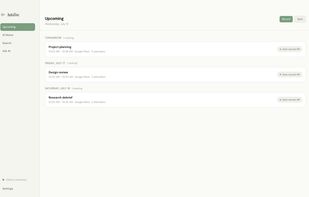
See upcoming meetings from your calendar and create notes locally.

Cost / License

Application type

Platforms

  • Mac  Requires an Apple Silicon Mac running macOS 14 or later.
  • Windows  Requires a 64-bit x64 PC running Windows 10 or later.
0likes
0articles
Save

Features

Properties

Features

Highlights All activities

AutoDoc News & Activities

Recent activities

AutoDoc information

AlternativeTo Categories

Office & Productivity, Security & Privacy, Audio & Music, Video & Movies

GitHub repository

  •  27 Stars
  •  0 Forks
  •  12 Open Issues
  •   Updated  
View on GitHub

Popular alternatives

View all
AutoDoc was added to AlternativeTo by duetCJackson on and this page was last updated .

No comments or reviews, maybe you want to be first?

Official Links

What is AutoDoc?

AutoDoc is a free, open-source meeting notes app for Apple Silicon Macs (macOS 14+) and x64 Windows 10+ PCs. It records your screen, microphone, and system audio, then transcribes and writes editable notes on your own computer using local AI models. No meeting bot joins your calls, and no AutoDoc account or AI API key is required.

Click an available timestamp in your notes to replay that moment of the recording, search your transcripts and notes, or use Ask AI to question your past meetings. Microphone audio is labeled Me and combined system audio is labeled Them; AutoDoc does not identify individual remote participants.

Recording, transcription, notes, and Ask AI work offline after the required models are downloaded. Meeting processing supports 27 languages on supported hardware; 8 GB Macs and lower-spec Windows PCs remain English-only. The app interface is English.

Recordings, transcripts, and notes are encrypted at rest. The operating system protects the encryption key when available; otherwise the key remains stored locally without operating-system protection. Product analytics and crash reports are off unless you opt in.
