


Node.js is a platform built on Chrome's JavaScript runtime for easily building fast, scalable network applications.
Cost / License
- Free
- Open Source (MIT)
Platforms
- Mac
- Windows
- Linux
- Chrome OS
- BSD
- Self-Hosted
 United States






A


Apps similar to asyncoro include Node.js, which is free and open source. Other options are Erlang, Tornado Web Server, Twisted and vert.x. In total there are eight Application Builders like asyncoro for Mac, Linux, Windows, self-hosting and the web.
Node.js is a platform built on Chrome's JavaScript runtime for easily building fast, scalable network applications.
United States
Concurrent functional language with built-in support for fault tolerance, distribution, and hot swapping, designed for scalable real-time systems in telecom, banking, e-commerce, and instant messaging. Features garbage collection and dynamic typing.
 Sweden
 EU
EU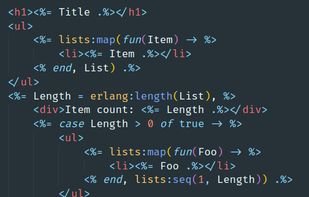


Tornado is an open source version of the scalable, non-blocking web server. The framework is distinct from most mainstream web server frameworks (and certainly most Python frameworks) because it is non-blocking and reasonably fast.


Twisted is an event-driven network programming framework written in Python and licensed under the MIT License. Twisted projects variously support TCP, UDP, SSL/TLS, IP Multicast, Unix domain sockets, a large number of protocols (including HTTP, XMPP, NNTP, IMAP, SSH, IRC, FTP...

From Wikipedia, the free encyclopedia
Vert.x is a polyglot event driven application framework that runs on the Java Virtual Machine.[1][2]
Similar environments written in other programming languages include Node.js for JavaScript, Twisted for Python, Perl Object Environment for.
dispy is a Python framework for parallel execution of computations by distributing them across multiple processors on a single machine (SMP), among many machines in a cluster or grid. dispy is well suited for data parallell (SIMD) paradigm where a computation is evaluated with...

NoPrint.js is a small and neat open source JS library that disables print, screenshot, copy and paste functions in HTML. You can also enable the AutoBlur option to let the content turn to blur once the mouse leaves the webpage.


 United Kingdom


