



Ashampoo Magical Defrag
Ashampoo Magical Defrag is a tool that can help you keep your hard drive in good shape.
 EU
EU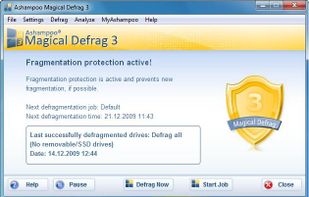


The product is no longer offered on the company website. Last version, 3.0.2, was released in February 2010.

Features
- Support for Multiple Users
- Multiple languages
Tags
- increase-performance
Ashampoo Magical Defrag News & Activities
Recent activities
Ashampoo Magical Defrag information
Developed by
 Ashampoo
 Licensing
Proprietary and Commercial product.Pricing
One time purchase (perpetual license) that costs $0.Alternatives
20 alternatives listedSupported Languages
- English
AlternativeTo Category
OS & Utilities


What is Ashampoo Magical Defrag?
Ashampoo Magical Defrag is a tool that can help you keep your hard drive in good shape.
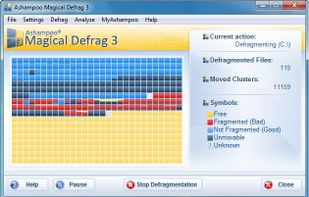
Once you initiate the application, the defragmenation starts automatically and runs in the background. The interface is clean and intuitive and you can view the current action, total defragmented files and moved clusters, as well as symbols for the graphical representation.
Ashampoo Magic Defrag features:
Defragments the hard disk automatically and "invisibly" in the background. Pauses defragmentation automatically as soon as other programs require processor capacity or access the hard disk. Switching to Pause mode only takes around one second. Support for defragmenting compressed files. No analysis needed - defragmentation starts immediately! The advanced defragmentation algorithm eliminates the need for a time-consuming analysis phase. This means that the program is genuinely productive whenever it's running, even if it's just for a few seconds. Install & Forget: Once the program is installed it runs in the background as a service and keeps the hard disk defragmented automatically. Statistic functions for monitoring defragmentation. Multi-user support: Once the administrator has installed the program it keeps running, even on restricted user accounts without administrator rights. Also defragments the hard disk when no user is logged in. Can be controlled and monitored via a local network.