


Microsoft Launcher
Microsoft Launcher provides a new home screen experience that empowers you to be more productive on your Android device. Microsoft Launcher is highly customizable, allowing you to organize everything on your phone.


Features
Properties
- Support for Themes
- Customizable
Features
- Support for Gestures
- Dark Mode
- Integrated Search
- Application Launchers
- Continue on PC
- Activity history
- Custom widgets
Microsoft Launcher News & Activities
Recent News
- Maoholguin published news article about Microsoft Launcher
 Microsoft Launcher for Android finally integrates Bing Chat AI feature
Microsoft Launcher for Android is preparing for an update that includes the integration of Microsof...

Recent activities
 POX added Microsoft Launcher as alternative to Murine Launcher
 justarandom added Microsoft Launcher as alternative to Octopi Launcher
 justarandom added Microsoft Launcher as alternative to Launch
 OrdinaryPerson added Microsoft Launcher as alternative to Hyperdroid
 Alaik added Microsoft Launcher as alternative to InkOS
 OrdinaryPerson added Microsoft Launcher as alternative to Dragon Launcher
 OrdinaryPerson added Microsoft Launcher as alternative to Yagni Launcher
 OrdinaryPerson added Microsoft Launcher as alternative to CCLauncher
 POX added Microsoft Launcher as alternative to TimeAware Launcher
 justarandom added Microsoft Launcher as alternative to LeanbackLauncher


Microsoft Launcher information
Developed by
 Microsoft
 Licensing
Proprietary and Free product.Alternatives
72 alternatives listedSupported Languages
- English


Featured in Lists
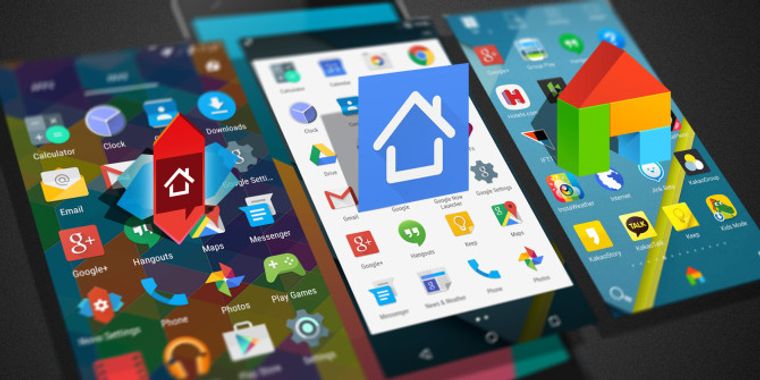
The launcher (or application launcher) is the backbone of Android, the screen where you spend the most time. This …

A list with 807 apps by AmileyaRyver without a description.

Launch apps easily on android !
What is Microsoft Launcher?
Microsoft Launcher provides a new home screen experience that empowers you to be more productive on your Android device. Microsoft Launcher is highly customizable, allowing you to organize everything on your phone. Your personalized feed makes it easy to view your calendar, to do lists, and more. Sticky Notes on the go. When you set up Microsoft Launcher as your new home screen, you can either start fresh with your favorite apps or import your current home screen layout. Need to switch back to your previous home screen? You can do that, too!
This version of Microsoft Launcher has been rebuilt on a new codebase to make new features possible, including dark mode, personalized news, and numerous performance improvements (improved load time, less memory use, better battery performance, and fluent animation).
MICROSOFT LAUNCHER FEATURES Customizable icons: · Give your phone a consistent look and feel with custom icon packs and adaptive icons.
Beautiful wallpapers: · Enjoy a fresh new image from Bing every day or choose your own photos.
Dark theme: · Comfortably use your phone at night or in low light environments with Microsoft Launcher’s new dark theme. This feature?is compatible with Android’s?dark mode settings.
Backup and Restore: · Easily move between your phones or try Home Screen setups through Microsoft Launcher’s Backup and Restore feature. Backups can be stored locally or saved to the cloud for easy transfers.
Gestures: · Swipe, pinch, double tap, and more on the home screen to easily navigate on the Microsoft Launcher surface. This app uses Accessibility Service Permission for optional gesture of screen lock and recent apps view.
Improved performance: · Microsoft Launcher now loads faster, uses less memory, is more battery efficient, and offers fluent animations.

Comments and Reviews
Scroll down and direct to typing