
AppNetPlotter icon
AppNetPlotter icon

AppNetPlotter

 Like

Troubleshoot app connectivity using real traffic, Wi-Fi and VPN stability, and local diagnostic reports. Built in Rust for Windows.
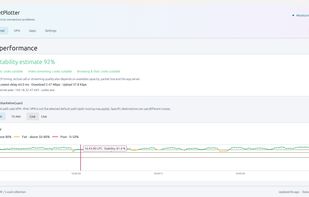
AppNetPlotter screenshot 1

Cost / License

Platforms

  • Windows
0likes
0articles
Save

Features

Properties

Features

Highlights All activities

AppNetPlotter News & Activities

Recent activities

AppNetPlotter information

AlternativeTo Category

Network & Admin

GitHub repository

  •  1 Stars
  •  0 Forks
  •  0 Open Issues
  •   Updated  
View on GitHub
AppNetPlotter was added to AlternativeTo by winnie264 on and this page was last updated .

No comments or reviews, maybe you want to be first?

What is AppNetPlotter?

AppNetPlotter is an open-source Windows application that helps you investigate slow apps, interrupted video calls, and other connectivity problems. It brings internet, Wi-Fi, wired network, VPN, and individual app connection information into one interface, helping you understand where a problem may be occurring. Internet stability is estimated by continuously monitoring your apps’ existing TCP connections, without generating separate internet test traffic. Response times, delay variation, retransmissions, and upload/download activity provide insight into the connections your applications are actually using. Local gateway checks help assess Wi-Fi and wired network stability. Key features

  • Per-app connection monitoring: View running apps and their connections, with available domain names, response times, stability estimates, and upload/download rates.
  • Internet stability: Follow connection quality over time using measurements from existing TCP traffic.
  • Wi-Fi and wired network diagnostics: Monitor local gateway response times and stability to help identify local network problems.
  • VPN visibility: Detect VPN adapters and view estimated VPN path stability alongside traffic rates.
  • UDP traffic monitoring: Track upload/download activity through Windows ETW, including traffic from QUIC, games, and VPN applications.
  • Interactive history: Inspect graphs at a particular time and compare measurements across the last 24 hours.
  • Shareable reports: Export a selected time range as an HTML report for IT support or further investigation.
  • Local data storage: Keep monitoring history on your computer, without requiring a central monitoring server.
  • Flexible deployment: Use a portable executable or install a background monitoring service with a separate desktop interface.