


Microsoft AppLocale
7 likes
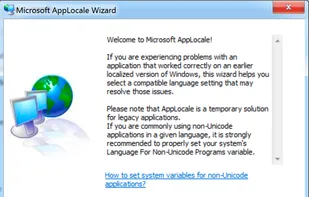
Utility for simulating system locale settings, enabling non-Unicode applications to display text accurately on Unicode-based Windows platforms without altering system-wide settings, vital for running legacy Asian or incompatible software, with changes reverting after closure.
Cost / License
- Free
- Proprietary
Alerts
- Discontinued
Platforms
- Windows
Discontinued
Microsoft is no longer offering this program

Features
- International Feature
- Software localization
Microsoft AppLocale News & Activities
Highlights All activities
Recent News
No news, maybe you know any news worth sharing?
Share a News TipRecent activities
- Danilo_Venom updated Microsoft AppLocale
Microsoft AppLocale information
Developed by
 Microsoft
 Licensing
Proprietary and Free product.Alternatives
4 alternatives listedSupported Languages
- English


What is Microsoft AppLocale?
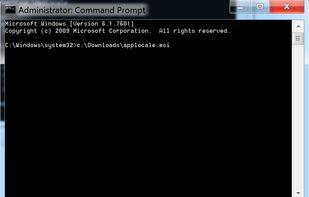
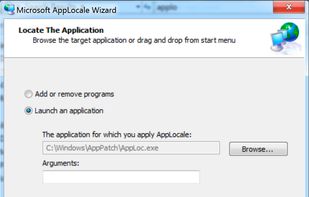
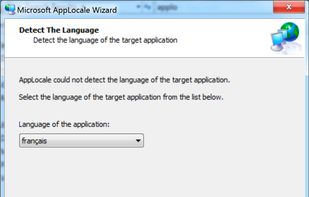
The Microsoft AppLocale (or Application Locale) utility is a temporary solution to the limitations caused by non-Unicode applications running on the Unicode (UTF-16) based Windows XP. AppLocale detects the language of the legacy application and simulates a corresponding system locale for code-page to/from Unicode conversions.
Official Links
There are no links for this app, or they've been disabled.
Comments and Reviews
This utility is a life-saver for legacy applications that don't support Unicode. It allows you to display foreign language character sets, otherwise the text in the UI may appear garbled and unreadable, or work with filenames with non-Latin characters, like J-Pop MP3's. When it works. Some applications are fully or mostly functional, while others don't work at all.
SBAppLocale is a command-line version by SteelBytes: http://www.steelbytes.com/?mid=45
Patch for AppLocale Nag Screen: http://opcode0x90.wordpress.com/2008/01/09/patch-for-applocale/
"I am a person who frequently use non-English application while running on the default system locale. The result? Garbage characters in UI as the Microsoft puts it. This is where AppLocale come in, it allows you to run an application in a specific locale without messing around with the default system locale. Unfortunately, for no good reason Microsoft left an annoying message that kept reminds you about “AppLocale is just a temporary solution” whenever you launch AppLocale via shortcut. So I made a patch to remove the nag."