


Messages
Stay connected to the people and conversations that matter most.

Cost / License
- Free
- Proprietary
Application types
Platforms
- Mac
- iPhone
- iPad
- Apple Watch


Features
- Cloud Sync
- Encrypted Chat
- Desktop Application
- Team Messaging
Messages News & Activities
Recent News
- Maoholguin published news article about iOS
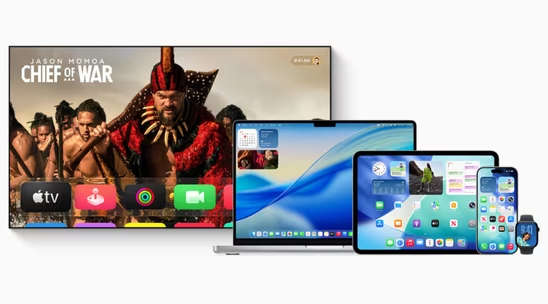
 Apple launches version 26 across iOS, macOS, iPadOS and more with new Liquid Glass design
Apple has officially released iOS 26, macOS 26 Tahoe, iPadOS 26, watchOS 26, tvOS 26, and visionOS ...
- Maoholguin published news article about iOS
 Apple unveils version 26 across its OS lineup with new design language & several features
Apple announced major operating system updates at WWDC 2025, introducing several new features acros...
- Maoholguin published news article about Messages
 Apple to support end-to-end encrypted RCS messaging soon
Apple has announced plans to integrate end-to-end encryption (E2EE) into its support for Rich Commu...


Recent activities
 OrdinaryPerson added Messages as alternative to Messages (by PVOT-OSS)
- techressive liked Messages
- K0RR rated Messages



Featured in Lists

These are software I use regularly and have no issues with.
What is Messages?
Features
• Send texts, photos, videos, documents, stickers, Memoji, and more to contacts using their phone number or Apple ID. • Use Messages in iCloud to keep your entire message history, including SMS and MMS, updated and available on your iPhone, iPad, iPod touch, Apple Watch, and Mac, even when you set up a brand-new device. • Name a group iMessage and add a photo to personalize the group conversation. • Your name and photo, or even Memoji, can be shared with your friends. • Edit any message for up to 15 minutes after sending it. Recipients will be able to see a record of edits made to the message. • Unsend any message for up to 2 minutes after sending it. • Mark as unread when you don’t have time to respond but want to be sure to reply to the sender later. • Mentions let you direct a message to an individual in a group conversation. • Inline replies let you reply to a specific message and see all related messages in their own view. • Tapback for a quick reply to express what you think about a message, such as that it’s funny or you like it. • Pin conversations to keep up to nine of your favorite message threads at the top of the list. • SharePlay via Messages lets you share synchronized activities like movies, music, workouts, games and more while chatting with friends in Messages. • Shared with You shows content sent to you by friends in Messages conversations in a section in Photos, Safari, News*, Music*, Podcasts, or the TV app*. • Collaboration lets you invite others to collaborate on a file via Messages and shares activity updates in the thread when someone makes an edit to a shared project. • Multiple photos sent in Messages are displayed as a glanceable collage or a swipeable stack. • Customize and share personalized Memoji with clothing, hairstyles, headwear, makeup, and more. • iMessage apps let you quickly share photos, recently played music, stickers, GIFs, Apple Pay*, and more right from Messages. • New camera effects bring Animoji, filters, text effects, sticker packs, and shapes to the photos and videos you capture in Messages.
Messages information
Developed by
 Apple
Apple Licensing
Proprietary and Free product.Rating
Average rating of 2.5Alternatives
59 alternatives listedNews
14 news article related to MessagesSupported Languages
- English


Comments and Reviews
I hate Iphone I know that the message Requires an iPhone, and WhatsApp isn't any better, but I dislike iPhone and apple products so I recommend not using the message.
"Apple does not allow other apps to replace the default SMS/messaging app."
https://support.signal.org/hc/en-us/articles/360007321171
I have multiple text messages in Apple Messages. Some are unread, and some are read. I select both the unread and read messages. I right-click on the selected messages. The contextual menu contains the menu item "Mark as Read" but it does not contain the menu item "Mark as Unread." I think that the contextual menu should contain both "Mark as Read" and "Mark as Unread."
I select "Mark as Read." This changes the menu item to "Mark as Unread." I select "Mark as Unread." The messages are not marked as unread yet. I think they should be immediately marked as unread. I switch away from the Messages app and then switch back. This causes the messages to be marked as unread.
I want to select all of the messages in Apple Messages. Unfortunately, the Edit – Select All menu item is disabled.
Facebook Messenger has a feature to temporarily mute message notifications for 15 minutes, 1 hour, 8 hours, or 24 hours. Apple Messages has a feature to permanently hide alerts. But I wish that Apple Messages could temporarily hide alerts like Facebook Messenger can.
iSpammer is a alternative that uses imessage to spam using imessage on any mac system.