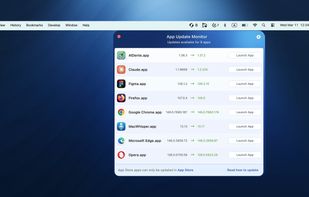
App Update Monitor is a lightweight menu bar tool that helps you easily check for Mac app updates and keep your software current without interrupting your workflow.
Many applications are updated through developer websites, GitHub releases, or package managers like Homebrew. Because updates come from so many different sources, it can be difficult to track which apps are outdated. App Update Monitor solves this problem by bringing updates for all your standalone and third-party apps into one simple interface.
Key features
• Fast scanning to check for app updates?
• Works with a wide range of developer-distributed apps?
• Detects updates from Sparkle, Electron, Squirrel, GitHub, and Homebrew?
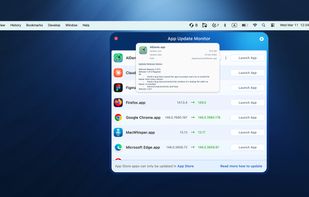
• Shows current and latest available versions?
• Quick access to official sources for secure updates
App Update Monitor helps you stay current with the latest versions of your favorite third-party apps while avoiding scattered notifications and surprise update prompts.
The app runs quietly in the menu bar and automatically checks thousands of software databases to detect new versions.
How to update apps on Mac
- Launch App Update Monitor.
- Check for updates across your standalone app library in seconds.
- Open the correct source to install the update.
Stay ahead of updates and keep your Mac secure without interrupting your work. With App Update Monitor, you’ll always know when new versions are available - before they slow you down.








No comments or reviews, maybe you want to be first?