ApexSQL Compare icon

ApexSQL Compare

ApexSQL Compare is a tool that can compare files, SQL Server objects, and folders. It can be integrated as an add-in into SQL Server Management Studio and Visual Studio or it can be used as a desktop application.
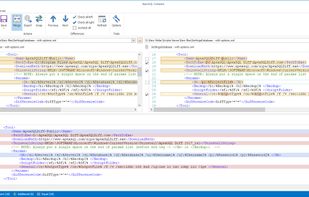
ApexSQL Compare screenshot 1

Cost / License

  • Free
  • Proprietary

Platforms

  • Windows
0likes
0articles
Save

Features

  1.  Folder Comparison

ApexSQL Compare News & Activities

Highlights All activities

Recent activities

No activities found.

ApexSQL Compare information

AlternativeTo Category

File Management
ApexSQL Compare was added to AlternativeTo by kennethshampton on and this page was last updated .

No comments or reviews, maybe you want to be first?

What is ApexSQL Compare?

ApexSQL Compare is a tool that can compare files, SQL Server objects, and folders. It can be integrated as an add-in into SQL Server Management Studio and Visual Studio or it can be used as a desktop application. Automation and scheduling can be performed via Command Line Interface. It can perform two-way script comparison and create a merge script. Three comparison modes include Character, Line and Block, along with the appropriate syntax highlighting.

Features:

  • Supports SQL Server Management Studio 2012 integration and higher
  • Supports Visual Studio 2010 integration and higher
  • Supports Windows Explorer integration
  • Supports SQL Server 2005 and higher
  • Supports Azure SQL Database
  • Supports SQL Server on Amazon RDS
  • Supports file and folder comparison
  • Compare SQL Server objects directly from SQL Server Management Studio and Visual Studio
  • Two-way comparison and merge
  • Three comparison modes:
    • Character
    • Line
    • Block
  • Syntax highlighting for 9 languages:
    • C#
    • C++
    • HTML
    • JavaScript
    • PostgreSQL
    • Python
    • T-SQL
    • Visual Basic
    • XML
  • Ignore options for the comparison process
    • Ansi options
    • Authorization
    • Collation
    • Comments
    • Constraint names
    • Filegroups
    • Indexes
    • Lock escalation
    • Permissions
    • With encryption
  • Export comparison results into HTML report
  • Command line interface
  • GUI themes
