An Android DC++ client based on the original open-source AnDCpp project.
Version 2.1.0 · Android 4.1 or newer (encrypted transfers need Android 5 or newer).
Hub protocols
Address Protocol Notes
host:port or dchub://host:port NMDC The classic DC protocol. Port 411 if none is given.
nmdcs://host:port NMDC over TLS Encrypted hub connection.
adc://host:port ADC The newer DC protocol. A port is required.
adcs://host:port ADC over TLS Encrypted hub connection; add /?kp=SHA256/… to pin the hub's keyprint.
On ADC / ADCS hubs the app supports:
Login, including registered nicks with a password, user list, main chat (also /me), private messages.
Searching, and answering other users' searches from your share.
File lists, downloads (requested by TTH, with resume) and uploads, active or passive.
Encrypted transfers (ADCS/0.10, TLS 1.2/1.3) with users who support or require them.
The BLOM extension (a Bloom filter of your share that some hubs require).
Hub menus (right-click commands sent by the hub).
Clear messages when a hub refuses you (wrong password, nick taken, too few slots, not allowed to search or download, banned), and no endless reconnects when a hub asks you not to come back.
Secure hubs and keyprints: the first time you connect to an nmdcs:// or adcs:// hub its keyprint is remembered; if it changes later the app warns you and waits for you to trust the new one. A keyprint given in the address (?kp=) must match, or the app refuses to connect. Hub details (Hubs tab) show the keyprints.
Your identity: About shows your ADC client ID (CID) and your TLS keyprint. Both, like your settings and saved hubs, survive a reinstall through the settings backup in Download/Android-DC++.
Upload slots: at least 3 (many hubs refuse users with fewer).
Features and improvements
Modernized the project as an Android Studio Gradle application.
Connect to DC++ hubs, log in, chat, and manage connected users.
Browse public hubs, choose or add hub-list sources, and save favourite hubs.
Browse and save user file lists across app restarts.
Download files with progress tracking and configurable download locations.
Run hub connections in a background service with reconnection and network recovery.
Improved peer connections, including ConnectToMe, RevConnect, and UserIP2 handling.
Added private messaging, settings, dark and light themes, and interface refinements.
Added BZip2 support for compressed public hub lists.
Preserved and extended the original AnDCpp networking library.
ADC, ADCS and NMDCS hubs (see above).
See CHANGELOG.md for what changed in each version.
Credits
stevemorris528 (PuffingMad) 2026
Based on the original AnDCpp project by Anish Shankar, Lakshminarayanan Srinivasan, and Madhavan Malolan.
License: GNU GPL v3.0 — https://github.com/stevemorris528/Android-DC.2026/blob/master/andcpp-gradle/LICENSE




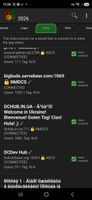

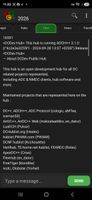

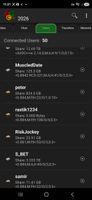


 Steve528 added Android-DC++ 2026 as alternative to LinuxDC++, ApexDC++, EiskaltDC++, FlylinkDC++ and 3 more

 stevemorris528



No comments or reviews, maybe you want to be first?