
Album Art Creator icon

Album Art Creator

 Like

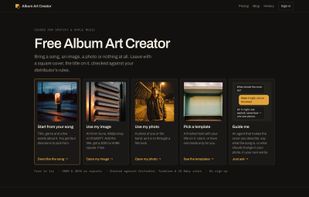
Album cover art for independent musicians: start from a song, an image you already have, a photo or a template — the title stays editable and every export is checked against distributor rules.
home

Cost / License

  • Freemium (Pay once or Subscription)
  • Proprietary

Application type

Since

  • New

Platforms

  • Online
0likes
0articles
Save

Features

Highlights All activities

Album Art Creator News & Activities

Recent activities

Album Art Creator information

  • Developed by

    Album Art Creator
  • Licensing

    Proprietary and Freemium product.
  • Pricing

    One time purchase ranging between $5 and $35, and / or subscription ranging between $15 and $19 per month + free version with limited functionality.
  • Alternatives

    15 alternatives listed
  • Badge

    Get an embeddable badge for Album Art Creator
  • Supported Languages

    • English
Album Art Creator was added to AlternativeTo by Xiazai on and this page was last updated .

No comments or reviews, maybe you want to be first?

What is Album Art Creator?

Album Art Creator makes the square cover a release needs: the picture, your title in a font that suits the genre, and a file your distributor will accept. It runs in the browser and needs no account to try.

Five ways to start

  • From your song. Title, genre, and the mood or the lyrics — Suno and Udio tags paste in directly. It writes four directions (abstract, scene, portrait, typography) as concept cards before anything renders; you render only the ones you tick.
  • From an image you have. Art from Suno, Midjourney or ChatGPT: frame the square, set the title, export. It never leaves your browser and both sizes are free.
  • From a photo. As it is, or through one of six film looks — black and white film, two-colour Riso, 70s Kodachrome, instant film, direct flash, warm grain — at 4096 px, with your face and pose unchanged.
  • From a template. A finished layout lettered for the genre, with your words on it, free.
  • Or just describe it. An agent reads what you type — a lyric, a mood, "make it night, rain on the street" over a photo you drop in — works out which path fits, and puts the plan and the price on one card before making anything.

On every cover

  • The title is a layer, not pixels. Title and artist name stay editable text: words, font, size and position change as often as you like, for free. A typo never costs a new image.
  • Typography for the genre. 22 faces in packs across 31 genres, layout presets, a crop tool and the Parental Advisory sticker.
  • Pre-flight before download. The exact file is checked against the published rules of Spotify, Apple Music, DistroKid, TuneCore, CD Baby and Bandcamp — size, format, colour space, file size, text near the edge, print-style borders, forbidden words — with a one-click fix where there is one.
  • The sizes distributors ask for. 3000 × 3000 and 4096 × 4096, JPG or PNG, each with a version without text.
  • The price before the click. Every button that spends a credit says how many and how many are left; a failed cover is refunded automatically.
  • Your pictures stay yours. An image, a photo used as it is, or a template never leaves the browser. A photo sent for a look or an edit is deleted after 30 days and never used for training.

Pricing

Three covers free without an account, then three a week with a free account. Pro is $19/month for 100 credits with the large exports and a commercial licence; packs are $4.99 for 8, $12.99 for 24, $34.99 for 80, and never expire. A picture you bring yourself exports at both sizes free on any plan; looks and edits in your own words are 4 credits each.

Good to know

Web only — no mobile app and no public API, though the editor works on a 390 px screen. Covers are rendered with Seedream 4.5 and Z-Image, photos edited with Nano Banana 2 and upscaled by Topaz, and the concept cards, the agent and the prompt review run on Gemini 3 Flash.

Album Art Creator Videos