AIO Launcher icon
AIO Launcher icon

AIO Launcher

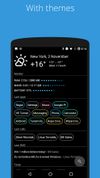
AIO Launcher is not ordinary home screen. It does not have colorful icons, many animation effects and a variety of themes. Instead, AIO Launcher uses a screen space to show you the most important information.
AIO Launcher screenshot 1
AIO Launcher screenshot 2
+2
AIO Launcher screenshot 3

Cost / License

  • Freemium (Pay once)
  • Proprietary

Platforms

  • Android
  • Android Tablet
2likes
0articles
Save

Features

Features

Highlights All activities

AIO Launcher News & Activities

Recent activities

No activities found.

AIO Launcher information

  • Developed by

    RU flagEvgeny Zobnin
  • Licensing

    Proprietary and Freemium product.
  • Pricing

    One time purchase (perpetual license) that costs $2 + free version with limited functionality.
  • Alternatives

    1 alternatives listed
  • Badge

    Get an embeddable badge for AIO Launcher
  • Supported Languages

    • English

Popular alternatives

View all
AIO Launcher was added to AlternativeTo by Paul on and this page was last updated .

No comments or reviews, maybe you want to be first?

Featured in Lists

Our selection of the best alternative launchers on Android for 2018

The launcher (or application launcher) is the backbone of Android, the screen where you spend the most time. This launcher often varies from one smartphone manufacturer to another and can considerably reduce the functionalities however present in the basic version of Android. In short, sometimes it's better to look elsewhere if the grass is greener. Here are the best alternative launchers for Android in 2018.
By Paul15 appsUpdated

E-reader essentials

Every section on this list will contain a set of different items that can be chosen based on your personal preference. It's not advised to download all of these applications (may end up taking up too much space on your device). Also note: Some of the items listed below won't work on all e-readers.
By Ituaf11 appsUpdated

What is AIO Launcher?

AIO Launcher is not ordinary home screen. It does not have colorful icons, many animation effects and a variety of themes. Instead, AIO Launcher uses a screen space to show you the most important information.
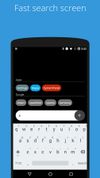
AIO Launcher can display the following information on the screen:

  • Weather - current weather and forecast for 10 days;
  • System monitor - RAM and NAND usage, percentage of battery power;
  • Player - when you turn on the music, playback control buttons appear;
  • Frequent apps - frequently used applications buttons;
  • Frequent contacts - the list of recent contacts;
  • Your apps - the icons of the selected applications (paid);
  • SMS - recently received SMS;
  • Dialer - numpad for quick calls;
  • Timer - timer start buttons;
  • Mail - list of received emails;
  • Telegram - last messages (paid);
  • RSS - latest news;
  • Twitter - all tweets or a single user tweets;
  • Calendar - upcoming events in the calendar;
  • Exchange rates - currency exchange rates;
  • Bitcoin - the bitcoin price;
  • Android widget - standard app widgets (paid).

Usage:

  • To add the Android widget, long press search button and select the "+" icon;
  • To resize the widget, hold the finger on the widget, then use the up and down buttons;
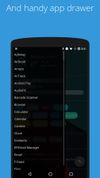
  • To access the list of all applications, drag from the left edge of the screen;
  • To refresh the information on the screen, pull down;
  • Hold finger on various elements of the screen to open menu;
  • To open settings, hold your finger on the search button, and then click the gear icon;
  • Hold the title of the widget to move it around;
  • Any widget can be disabled in settings;
  • You can minimize the widget by clicking on its name;
  • To remove an application, open the application menu, hold your finger on the desired application, and drag it to the recycle bin icon.