


Afirstsoft PDF
1 like
Afirstsoft PDF is an AI-powered PDF editor that supports to View, Annotate, Edit, Convert, OCR, Create, Organize,Protect, Analyze and Summarize PDFs.
Cost / License
- Freemium (Subscription)
- Proprietary
Application types
Platforms
- Mac
- Windows
- iPhone

Features
Properties
- Privacy focused
- Lightweight
Features
- Combine PDF
- Split PDF files
- OCR
- PDF encryption
- Ad-free
- Works Offline
- Full-Text Search
- PDF compression
- Cloud Sync
- PDF annotation
- No Tracking
- Fill PDF Forms
- AI-Powered
Tags
Afirstsoft PDF News & Activities
Highlights All activities
Recent activities
No activities found.


Afirstsoft PDF information
Developed by
AfirstsoftLicensing
Proprietary and Freemium product.Pricing
Subscription ranging between $6 and $46 per month + free version with limited functionality.Alternatives
1 alternatives listedSupported Languages
- English
- Chinese

No comments or reviews, maybe you want to be first?
What is Afirstsoft PDF?
Afirstsoft PDF streamlines the entire PDF workflow, making it easier, faster, and more efficient to manage and manipulate PDF documents. It is an AI-powered PDF editor that supports to View, Annotate, Edit, Convert, OCR, Create, Organize, Protect, Analyze and Summarize PDFs.
Highlights:
*Cross-platform Availability: It is available on PC, Mac, Android, iOS, and Web. *One account can be used on all platforms. *AI-integrated. *User-friendly and easy-to-use interface. *Efficient and convenient.
Key features:
- View PDFs: Afirstsoft PDF provides a clean and user-friendly interface for opening and viewing PDFs of all sizes. It supports multiple viewing modes like single-page, continuous scrolling, or full-screen mode, making it easy to read, browse, and navigate through documents.
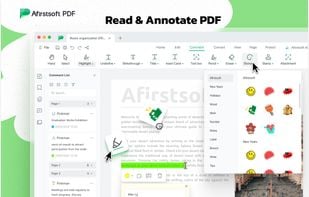
- Annotate PDF: Users can add comments, highlight text, underline or strike through, and insert sticky notes within PDF files.
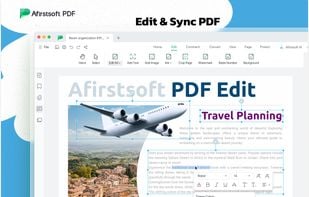
- Edit PDF: Afirstsoft PDF allows users to directly edit PDF content, including text, images, and formatting. You can modify existing text, adjust fonts, add or replace images, and change page layouts without the need to convert the PDF to another format.
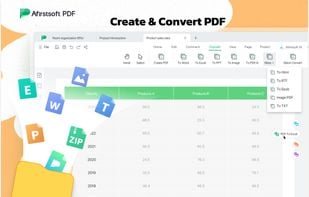
- Convert PDF: This feature supports converting PDFs to a wide range of formats, including Word, Excel, PowerPoint, and image formats (JPEG, PNG), as well as converting documents from these formats back to PDF.
- Organize PDFs: Users can easily manage PDF documents by merging multiple files into one, splitting a single PDF into separate files, or rearranging, rotating, and deleting pages within a PDF.
- Perform OCR on PDF: Afirstsoft PDF's Optical Character Recognition (OCR) feature converts scanned PDFs or images containing text into fully editable and searchable PDF documents. This is ideal for turning scanned documents into text-based files for easier editing and searching.
- Protect PDF: Afirstsoft PDF allows users to secure their documents by adding passwords, encryption, or permissions to restrict printing, copying, or editing.
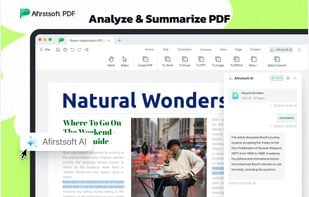
- AI: The AI-powered feature can analyze and summarize long PDF documents, providing concise overviews or insights into the content. Additionally, the AI Chat function enables users to ask questions about the document, get key insights, and even explore the content through conversational queries.
