




Abobi
Like
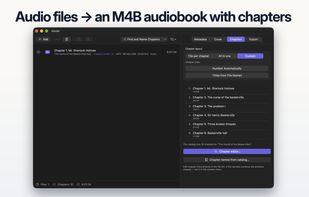
Abobi combines audio files into one M4B audiobook with chapters, a cover and the book details filled in. It suggests where each chapter starts, even in a single long recording, and can add chapter titles.

Cost / License
- Freemium (Pay once)
- Proprietary
 EU
Since
- New


Features
Highlights All activities
Abobi News & Activities
Recent activities
- workadaytools added Abobi
 workadaytools added Abobi as alternative to AudioBo, Audiobook Builder, abc - Audio Book Creator, AudioBookBinder and 2 more

Developed by
 Workaday Tools
Licensing
Proprietary and Freemium product.Pricing
One time purchase (perpetual license) ranging between $1 and $9 + free version with limited functionality.Alternatives
6 alternatives listedBadge
Get an embeddable badge for AbobiSupported Languages


No comments or reviews, maybe you want to be first?