4K Slideshow Maker icon

4K Slideshow Maker

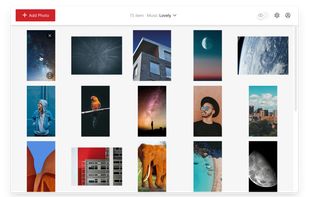
4K Slideshow Maker is a user-friendly application for creating slideshows with photos from Instagram or your computer. You can select your music, apply effects and transitions, and use advanced face-recognition technology.
4K Slideshow Maker screenshot 1

Cost / License

  • Free
  • Proprietary

Application type

Platforms

  • Mac
  • Windows
  • Linux

Features

  1.  Support for 4K
  2.  Portable
  3.  Slideshow Maker
  4. YouTube icon  Upload directly to YouTube
  5.  Support for HD videos
  6.  Upload directly to Facebook

4K Slideshow Maker News & Activities

Highlights All activities

Recent activities

4K Slideshow Maker information

Our users have written 1 comments and reviews about 4K Slideshow Maker, and it has gotten 5 likes

4K Slideshow Maker was added to AlternativeTo by _Kevin_ on and this page was last updated .

Comments and Reviews

   
jpowlus
0

Needed a simple slideshow maker and this certainly gets the job done. Has some nice features to make a slideshow fancier than what I need, but mercifully doesn't push those on you by making you uncheck 50 settings in various places. Add custom music and export in a variety of formats and resolutions. Can't ask for much more for free!

Review from a new or low-activity account — shown here, but not counted in the app rating.

What is 4K Slideshow Maker?

4K Slideshow Maker is a user-friendly application for creating slideshows with photos from Instagram or your computer. You can select your music, apply effects and transitions, and use advanced face-recognition technology. The final slideshow can be saved in high quality for iPhone or shared directly on Facebook.

The software is free and doesn't contain toolbars, adware, or malware. It creates high-quality slideshows with music and various effects in a few steps. You can save your work in multiple formats and upload directly to Facebook and YouTube.

The software supports output in 1080p, 720p, or Ultra 4K HD quality. You can import images directly from public Instagram accounts or private profiles. Supported video output formats include Windows Standard, Mac OS Standard, iPhone 8, iPhone X, iPad, YouTube, Facebook, and 4K Ultra HD.

A preview mode lets you see the slideshow before saving. You can apply the Ken Burns Effect for smooth transitions, select songs from your music library, and adjust slide and transition durations. The software includes presets for YouTube and Facebook, allowing you to save videos in the required resolution and format.

