


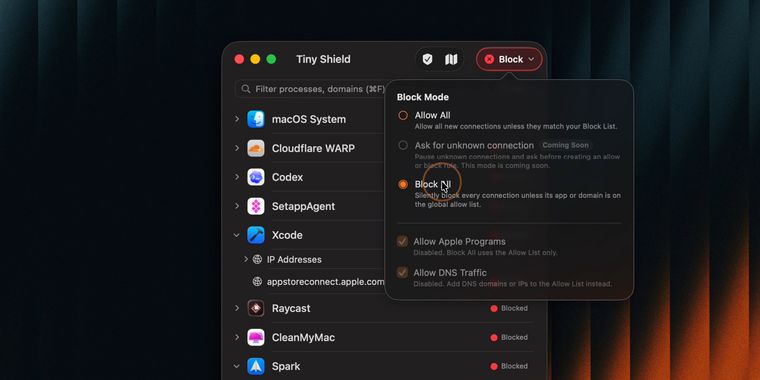

Tiny Shield 1.10 adds allow/block all modes, DNS query bypass, and improved network graph
Tiny Shield 1.10 for macOS introduces new flexible network control modes, giving users the option to allow all incoming connections except those specifically blocked, or to enforce a strict block on all incoming traffic. This change is designed for users who want to set broad network permissions by default while still blocking select threats or, alternatively, demand a highly restrictive security setup.
Building on these new modes, the update allows Apple’s apps and binaries to bypass the “Block All” mode when necessary. This preserves essential system functionality even when a user enables the highest level of restriction. Similarly, DNS queries can now be permitted to bypass “Block All”. This ensures that Tiny Shield continues resolving and displaying domain names in both list and map views, even when most connections are denied, maintaining clarity for users tracking network activity.
While these control changes stand out, Tiny Shield’s update also improves the reliability of the network graph, providing more stable upload and download readings. The “Block All” mode is also stricter and row actions are now fully aligned with the active security mode. The release also addresses several bugs to enhance overall application stability.




- Firewall
- Paid
- Proprietary
External links
- Tiny Shield v1.10.0: Allow All, Block All Mode, and Better Network GraphGitHub • Official source
No comments so far, maybe you want to be first?