


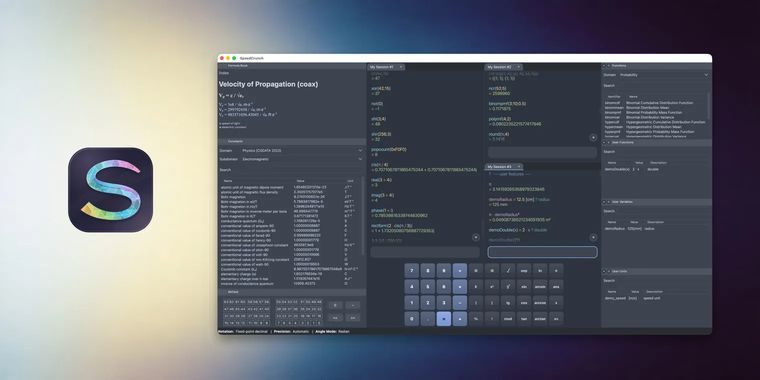

SpeedCrunch 1.1 brings private tabs, classic interface, and searchable constant insertion
The SpeedCrunch developers have released version 1.1 of the open-source high-precision calculator, less than three weeks after the milestone 1.0 build landed on October 4. According to the project's announcement, the update is available for Windows, macOS, and Linux, and concentrates on “new ways to work with sessions and constants, along with fixes for everyday editing and window behavior”.
The headline addition is private tabs, which let users calculate without having their work automatically saved: the contents are discarded when a tab is closed and are not restored on the next launch. Users can also configure SpeedCrunch to open a private tab at startup, or promote a private session into a saved one. Alongside that, constant insertion is now searchable via Ctrl+Space, and the release makes several editing behaviors configurable: automatic input adjustments can be switched off, autocomplete suggestions accepted with Enter, input cleared with Escape, and a steady cursor enabled, while input digit grouping has been restored.
The changelog also lists repairs to undo and redo, copy and paste, floating-panel restoration, and crashes triggered by typing long expressions, plus better input sizing across fonts, correctly positioned live previews, and clearer themed menu icons. A portable macOS ZIP package keeps settings and sessions in a folder beside the application. This update also includes finer-grained theming, including independent system and SpeedCrunch theme choices for menus, panels and the status bar, a compact “Classic” layout for input and results (with Modern remaining the default), improved text contrast, and dimmed disabled menu items.




- Calculator
- Free
- Open Source
Related news
External links
- SpeedCrunch 1.1.0 releasedSpeedCrunch on GitHub • Official source
- SpeedCrunch 1.1 releasedSpeedCrunch • Official source
No comments so far, maybe you want to be first?