


New Outlook for windows preview adds support for third-party email accounts and new features
Microsoft is expanding support for third-party accounts in the preview version of the new Outlook for Windows. The initial release of the preview version only supported first-party accounts from Microsoft, but now it will add support for Gmail accounts, followed by Yahoo and iCloud, and the ability to connect your mailbox through IMAP. Longtime Outlook for Windows users will note that third-party account support has also been improved over the classic client experience, which didn't have Google Calendar or Contacts support. The new Outlook for Windows preview allows people to use their Gmail email, Google Calendar, and Contacts.
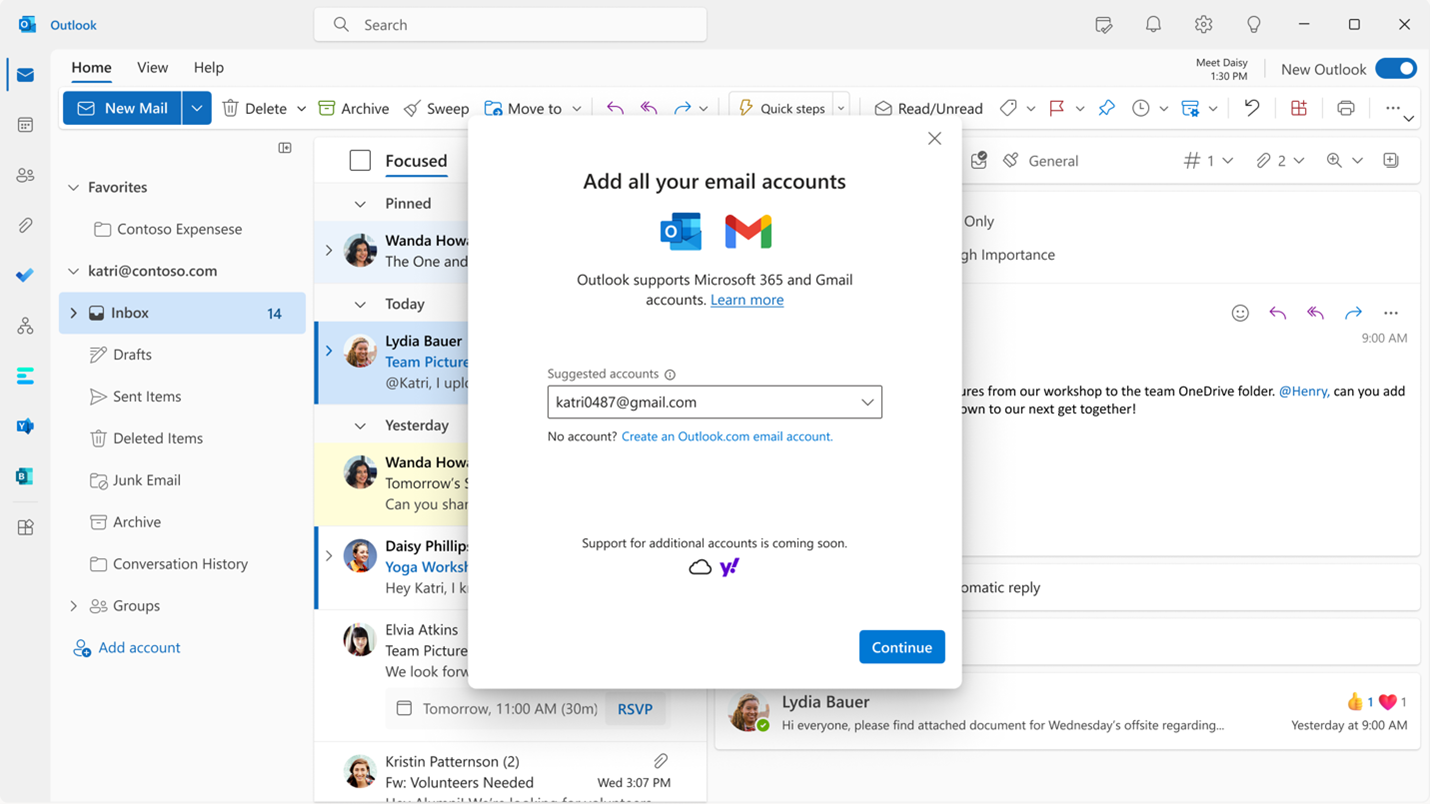
In addition to third-party account support, the new Outlook for Windows preview has added features such as rich editing, spelling, and auto-complete suggestions, the ability to send emails with polls, the ability to join a Skype or Teams call directly from Outlook, and the ability to pin important emails to the top of the inbox. The Calendar has also been improved with support for Google Calendar, the ability to add multiple shared calendars, supporting multiple time zones, and adding daily weather in the calendar view. These features are rolling out and will become available to all new Outlook for Windows users in the coming days and weeks.
If you still haven’t tried the new Outlook for Windows preview, you can slide the Try the new Outlook toggle located in the upper-right corner of your classic Microsoft Mail and Calendar app and follow the onscreen instructions. You can switch back to your previous Outlook experience, just slide the toggle off, and it will automatically open your previous version with no data or email loss.

- Email Client
- Free
- Proprietary
Related news
External links
- Starting to support third-party accounts in New Outlook for Windows PreviewMicrosoft • Official source