Great apps made greater with Apple Pencil

It was a big deal when Apple brought pressure-sensitivity to iOS devices through its innovative 3D Touch. Apple's user base overflows with creative professionals, a group for which the technology proved very useful. The launch of Apple Pencil took that utility a huge step forward with a familiar pen and paper workflow. Let's have a look at some of the apps that have most benefited from or helped define that brilliant hardware.

David
David List by David , last updated 
Copy a direct link to this comment to your clipboard
  1. Pixelmator has long been a leading alternative to Photoshop and the iOS version's panning and zooming controls provide an incentive to use it over the desktop version. With an Apple Pencil, it's a more powerful incentive. It adds a level of precision to drawing and correction tools that eclipses the desktop's mouse and keyboard combo.

    Cost / License

    • Paid
    • Proprietary

    Application types

    Platforms

    • Mac
    • iPhone
    • iPad
    Pixelmator screenshot 1
    Pixelmator screenshot 1
    Pixelmator screenshot 2
    +7
    Pixelmator screenshot 3
  2. Photoshop Sketch offers well conceived, artistic tools for the mobile artist, including integration with Apple Pencil that takes into account pressure and tilt. All this, with extensive Adobe Cloud integration, makes for a robust, professional workflow.

    Cost / License

    • Freemium
    • Proprietary

    Application type

    Platforms

    • Android
    • iPhone
    • Android Tablet
    • iPad
    Adobe Sketch screenshot 1
    Adobe Sketch screenshot 1
    Adobe Sketch screenshot 2
    +8
    Adobe Sketch screenshot 3
  3. Affinity Photo was already an outstanding photo editor and potential Photoshop killer before it made its way to iPad. With the iPad release though, it brought the power of desktop image editing to mobile and Apple Pencil support tops it all off with that much needed control for both freehand drawing and painting as well as vector interaction.

    Cost / License

    • Paid
    • Proprietary

    Platforms

    • Mac
    • Windows
    • iPad
    Affinity Photo screenshot 1
    Affinity Photo screenshot 1
    Affinity Photo screenshot 2
    +7
    Affinity Photo screenshot 3
  4. Procreate icon
     Like

    Procreate is truly a showcase for the Apple Pencil. Already adept at realistically representing natural media, the app oozes expressiveness when coupled with the hardware pencil. Tilt it flat to cover larger areas, use more pressure to add weight, all with slightly different effects based on the selected drawing tool.

    Cost / License

    • Paid
    • Proprietary

    Platforms

    • iPhone
    • iPad
    Procreate screenshot 1
    Procreate screenshot 1
    Procreate screenshot 2
    +13
    Procreate screenshot 3
  5. ProtoSketch for iPad takes an innovative approach of using a few on-screen buttons to emulate modifier keys used on desktops. It's a brilliant idea that just works, meanwhile an Apple Pencil adds that much needed precision and human touch to round out the control experience for interacting with vector illustrations on the go.

    Cost / License

    • Paid
    • Proprietary

    Application type

    Platforms

    • Mac
    • iPad
    Apple Pencil
    Multitasking
    Library
    +2
    Layers
  6. Pigment is easily one of the best, if not the best, coloring apps for adults. It's made even better with an Apple Pencil which completes the feeling of coloring real pages.

    Cost / License

    • Freemium
    • Proprietary

    Platforms

    • Android
    • iPhone
    • Android Tablet
    • iPad
    Pigment - Coloring Book screenshot 1
    Pigment - Coloring Book screenshot 2
    Pigment - Coloring Book screenshot 3
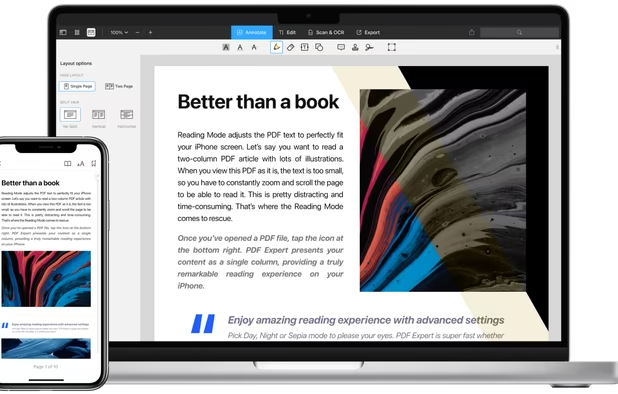
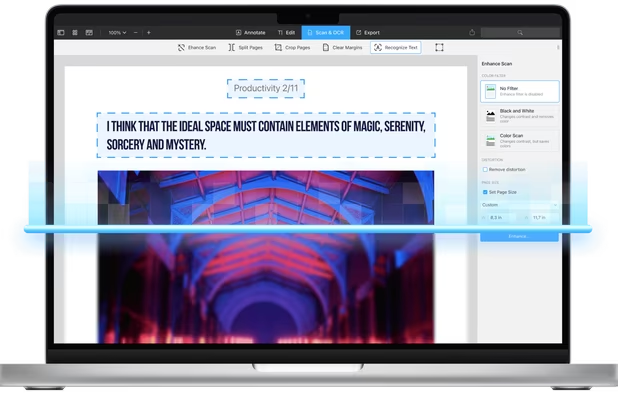
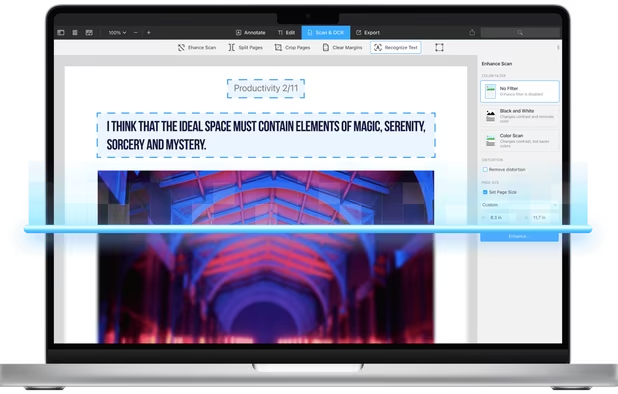
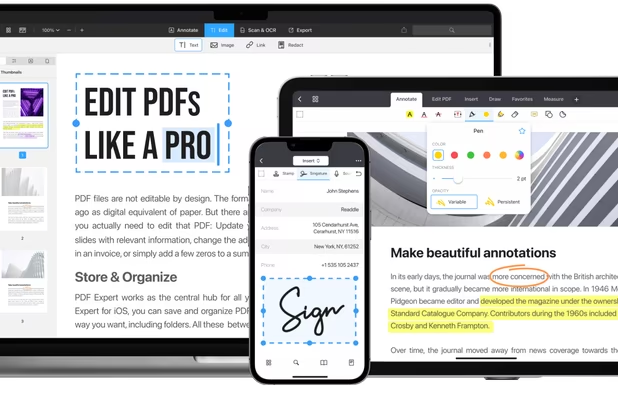
  7. PDF Expert for iOS takes full advantage of the touch-focused devices. Apple Pencil adds to the level of control and feels like interacting with real documents. Edit, annotate and sign PDFs just like you would with pen and paper.

    Cost / License

    • Paid
    • Proprietary

    Application types

    Platforms

    • Mac
    • iPhone
    • iPad
    PDF Expert screenshot 1
    PDF Expert screenshot 1
    PDF Expert screenshot 2
    +12
    PDF Expert screenshot 3
  8. Adobe Comp CC is packed with gestures that simplify the process of creating wire-frames and mock-ups. The gestures are accessible by finger but the Apple Pencil yields a more natural feel.

    Cost / License

    • Free
    • Proprietary

    Platforms

    • Android
    • iPhone
    • Android Tablet
    • iPad
    Adobe Comp CC screenshot 1
    Adobe Comp CC screenshot 1
    Adobe Comp CC screenshot 2
    +7
    Adobe Comp CC screenshot 3
  9. Color Splash is a dead simple, selective colorization app that does its one task exceedingly well. It turns photos black and white, letting you selectively color them. The Apple Pencil adds a natural level of precision to perfect the app.

    Cost / License

    • Paid
    • Proprietary

    Platforms

    • iPhone
    • iPad
    Color Splash screenshot 1
    Color Splash screenshot 2
    Color Splash screenshot 3
  10. Apple Pencil makes it much simpler to put this feature-packed note-taking app to full use. Easily scribble notes and interact with imported PDFs just like real world documents, while simultaneously recording audio such as lectures or work meetings.

    Cost / License

    • Freemium
    • Proprietary

    Platforms

    • Mac
    • iPhone
    • iPad
    Notability screenshot 1
    Notability screenshot 2
    Notability screenshot 3
  11. This calculation app's premise is simple, it solves your hand drawn math equations using handwriting recognition. Sure, you can draw using fingers, but Apple Pencil gives it that natural touch.

    Cost / License

    • Free
    • Proprietary

    Application types

    Platforms

    • Android
    • iPhone
    • Android Tablet
    • iPad
    MyScript Calculator screenshot 1
    MyScript Calculator screenshot 1
    MyScript Calculator screenshot 2
    +2
    MyScript Calculator screenshot 3
  12. Powered by MyScript Interactive Ink, Nebo is designed from the ground up for next-generation styluses like Apple Pen and it's received glowing reviews for its powerful, handwritten note-taking features. Flow charts and diagrams can easily be drawn by hand as well.

    Cost / License

    • Freemium
    • Proprietary

    Application type

    Platforms

    • Android
    • Android Tablet
    • iPad
    • iPhone
    MyScript Notes screenshot 1
    MyScript Notes screenshot 2
    MyScript Notes screenshot 3
  13. Notes icon
     Like

    Apple Notes is incredibly adept for a bundled app and Apple Pencil makes the iOS version even better, capturing the feel of note-taking and drawing with a real pencil. The on-screen ruler especially is notable, helping to emulate the types of lines drawn with a real ruler.

    Cost / License

    • Free
    • Proprietary

    Platforms

    • Mac
    • Online
    • iPhone
    • iPad
    Notes screenshot 1
    Notes screenshot 1
    Notes screenshot 2
    +2
    Notes screenshot 3
  14. Similar to the other drawing apps here, Sketches works especially well with Apple Pencil which is a boon for its excellent tool set that includes fill and area tools, a ruler and pattern tool alongside a full palette of professional brushes.

    Cost / License

    • Freemium
    • Proprietary

    Platforms

    • Mac
    • Android
    • iPhone
    • Android Tablet
    • iPad
    Tayasui Sketches screenshot 1
    Tayasui Sketches screenshot 1
    Tayasui Sketches screenshot 2
    +7
    Tayasui Sketches screenshot 3
  15. Amaziograph is a fun and easy way to create beautiful, symmetrical art and it's just so much more fun with Apple Pencil. That extra touch of precision from the Pencil adds a whole world of artistic expression.

    Cost / License

    • Paid
    • Proprietary

    Application type

    Platforms

    • iPad
    Amaziograph screenshot 1
    Amaziograph screenshot 1
    Amaziograph screenshot 2
    +2
    Amaziograph screenshot 3
  16. Shapr3D icon
     Like

    3D modeling is complex, especially on mobile, but Shapr3D makes it totally feasible. The app is built exclusively for iPad and designed entirely with Apple Pencil in mind, which provides the precision needed for proper modeling.

    Cost / License

    • Freemium
    • Proprietary

    Application types

    Platforms

    • Mac
    • Windows
    • iPad
    Sketch to model. Mastered in hours.
    Visualize, preview, edit. Instantly.
    Multidevice. Everywhere.
    +3
    Check in AR. Decide in context.
  17. Linea icon
     Like

    Different from many other drawing apps, Linea keeps the features to a minimal in favor of an interface and design that helps you focus and put your ideas to paper. It's designed exclusively for iPad and Apple Pencil.

    Cost / License

    • Paid
    • Proprietary

    Application type

    Platforms

    • Mac
    • iPhone
    • iPad
    Linea screenshot 1
    Linea screenshot 1
    Linea screenshot 2
    +12
    Linea screenshot 3
No comments so far, maybe you want to be first?
Gu