HXRDKING’s recommended apps

I put together this list to share the apps I personally use and genuinely believe almost anyone can switch to with minimal effort.

Every app here is a one-to-one replacement for mainstream tools you’re probably already using. The goal is to make switching feel practical, not intimidating. Small changes like these may seem simple, but they matter. Choosing tools that respect users more than corporations is one way to slowly shift power back into our own hands.

There are definitely alternatives out there that go even further in terms of decentralization or control, but many of those require technical skills, self-hosting, or a level of setup that isn’t realistic for most people. That’s not what this list is about.

HX
HXRDKINGList by HXRDKING, last updated 
Copy a direct link to this comment to your clipboard
  1. Signal icon
     Like

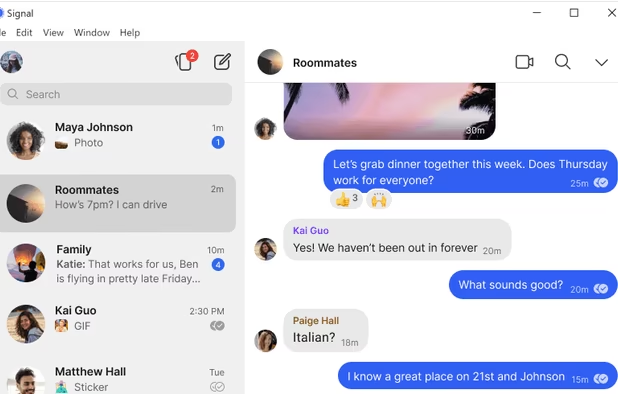
    A private messaging app built for secure, encrypted communication. It doesn’t rely on ads or subscriptions to make money, and it’s run by a nonprofit foundation.

    Even if your friends and family are still on WhatsApp or iMessage, just downloading Signal and creating an account is a step toward change. You’re making yourself available to anyone who wants a more private, user-first messaging option—and every small step helps shift the balance of power back to users.

    Cost / License

    • Free
    • Open Source

    Platforms

    • Mac
    • Windows
    • Linux
    • Android
    • iPhone
    • iPad
    • Snapcraft
    • Flathub
    • Ubuntu
    • Debian
    Signal screenshot 1
    Signal screenshot 1
    Signal screenshot 2
    +4
    Signal screenshot 3
  2. We all use a web browser every day, and that makes it one of the most important tools in technology. Firefox is a major browser backed by a nonprofit rather than a profit-driven corporation. It uses its own independent engine called Gecko, which is different from the Chromium/Blink engine that most other browsers (like Chrome, Edge, Opera, Brave, and others) are built on. This independence helps preserve diversity in how the web works and gives Mozilla more control to prioritize privacy and user-focused features instead of corporate agendas.

    Firefox isn’t perfect, but choosing a browser that isn’t tied to a single dominant company is an easy way to support a more open and user-centric web.

    Cost / License

    • Free
    • Open Source

    Application type

    Platforms

    • Mac
    • Windows
    • Linux
    • Android
    • iPhone
    • Android Tablet
    • BSD
    • HUAWEI AppGallery
    • iPad
    • AppImageHub
    • Snapcraft
    • Flathub
    • Samsung Galaxy Store
    • PortableApps.com
    • Haiku
    • Flatpak
    • Homebrew
    • Chocolatey
    • Gecko
    Firefox Desktop (Light Theme)
    Firefox Desktop (Dark Theme)
    Firefox iOS (Light Theme)
    +7
    Firefox iOS (Dark Theme)
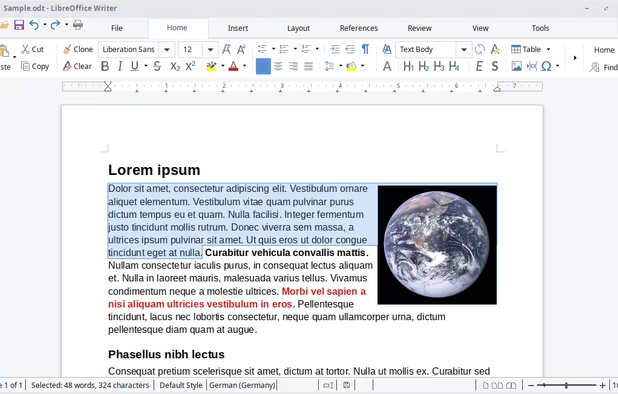
  3. LibreOffice isn’t a single app, it’s a full office suite. Think alternatives to Word, Excel, and PowerPoint, or to Pages, Numbers, and Keynote on macOS.

    It’s developed by a nonprofit foundation, not a profit-driven corporation, which means the priority is users, not shareholders. Unlike Microsoft or Apple office tools, LibreOffice is legally free to download and use, with no monthly subscription. You can create documents in LibreOffice and also open and edit files made with Microsoft or Apple apps without being locked into their ecosystems.

    If you’re tired of subscription software, this is one of the best one-to-one replacements. You can choose to donate if you want, and those contributions go toward improving the software for everyone, including people who wouldn’t otherwise be able to afford an office suite. Instead of funding corporate profits, you’re supporting a tool that stays accessible to all.

    Cost / License

    • Free
    • Open Source

    Platforms

    • Mac
    • Windows
    • Linux
    • Android
    • BSD
    • Snapcraft
    • Flathub
    • PortableApps.com
    • F-Droid
    • Flatpak
    LibreOffice Writer on Linux
    LibreOffice Calc on Linux
    Main menu (old version)
    +8
    LibreOffice Writer on Windows 7

I’ll be adding more apps over time. For now, these cover the basics most people rely on daily. Everyone needs a web browser and a messaging app, and if you use a computer, chances are you also need an office suite for work, school, or personal projects. These are simple, practical starting points for making more intentional technology choices.

No comments so far, maybe you want to be first?
Gu