• Yahoo Mail icon
  • Outlook.com icon
  • Gmail icon

Webmail Service

Shoji VRShoji VR3 appsUpdated
Copy a direct link to this comment to your clipboard
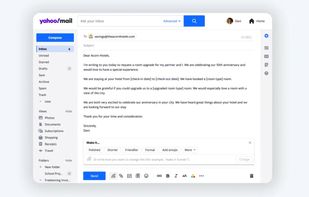
  1. It's time to get stuff done with the Yahoo Mail app. Get organized with the help of the Mail app.

    Cost / License

    • Freemium
    • Proprietary

    Application type

    Platforms

    • Online
    • Android
    • iPhone
    • Android Tablet
    • iPad
    • Kindle Fire
    Yahoo Mail screenshot 1
    Yahoo Mail screenshot 1
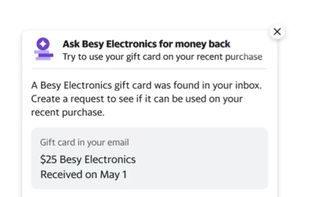
    Yahoo Mail screenshot 2
    +10
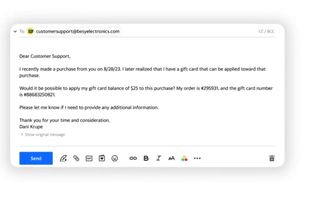
    Yahoo Mail screenshot 3
    Shoji VRShoji VR’s note
    • used to be most popular webmail services until gmail are released
    • Performance : this is happens because gmail is twice faster than yahoo
    • Security : yahoo also has compromsed security that forces the user to change their password, and this is not even happen once, it happens more than once!
  2. Outlook.com, part of (not to be confused with Microsoft Outlook icon Microsoft Outlook ), is a webmail service from Microsoft, successor of Hotmail.

    Cost / License

    • Freemium
    • Proprietary

    Application type

    Platforms

    • Online
    • Chrome OS
    Outlook.com screenshot 1
    Outlook.com screenshot 1
    Outlook.com screenshot 2
    Shoji VRShoji VR’s note
    • Support export for all data including calendar, contacts, notes. Skype, tasks, etc
    • Access all apps in single window instead of opening new tab
  3. Gmail icon
     Like

    Experience robust security, multiple accounts, chat, and fast search with efficient Gmail email management in a streamlined interface.

    Cost / License

    • Free
    • Proprietary

    Application type

    Platforms

    • Online
    • Android
    • iPhone
    • Chrome OS
    • Android Tablet
    • iPad
    • Google Chrome
    • Android Wear
    • Android TV
    • Software as a Service (SaaS)
    Gmail screenshot 1
    Gmail screenshot 2
    Gmail screenshot 3
    Shoji VRShoji VR’s note
    • Able to Fetch another email services Fetch other email are not instant, it fetch every 30 minutes (Email Fetching wont receive email immediately, use Gmail Forwarding technique)

    • Some ads (can be blocked with adblocking)

    • For android, its preferable using built in email apps instead of gmail that contain ads

No comments so far, maybe you want to be first?