• Microsoft Visual Studio icon
  • Visual Studio Express icon
  • MonoDevelop icon
  • Xamarin Studio icon
  • JetBrains Rider icon
  • +3

Programming in C# (C Sharp).

Malaz YIMalaz YI8 appsUpdated
Copy a direct link to this comment to your clipboard

Here is a list of IDEs, plus some tools for better C# Programming.

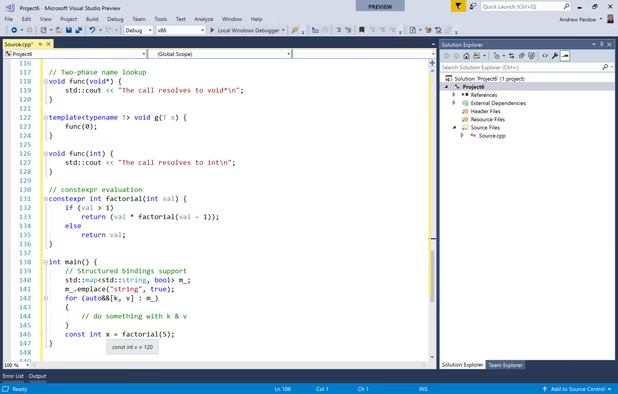
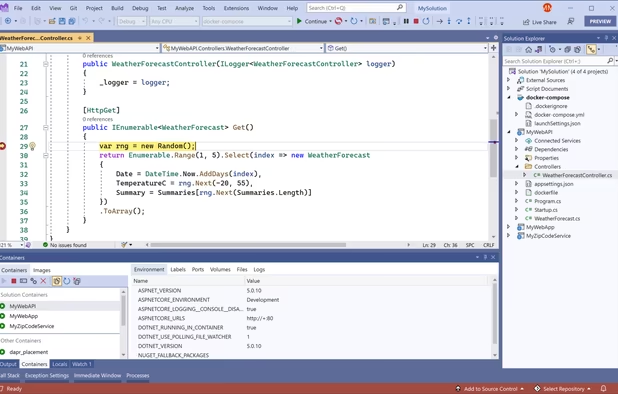
  1. Microsoft Visual Studio is an IDE used to create programs, apps, websites, and web services using various frameworks. It supports multiple languages and offers tools for coding, debugging, and design.

    Cost / License

    • Free Personal
    • Proprietary

    Application type

    Platforms

    • Windows
    • Online
    • .NET Framework
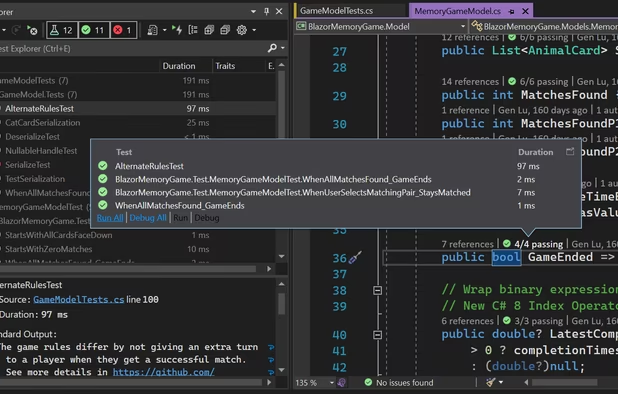
    Microsoft Visual Studio screenshot 1
    Microsoft Visual Studio screenshot 1
    Microsoft Visual Studio screenshot 2
    +5
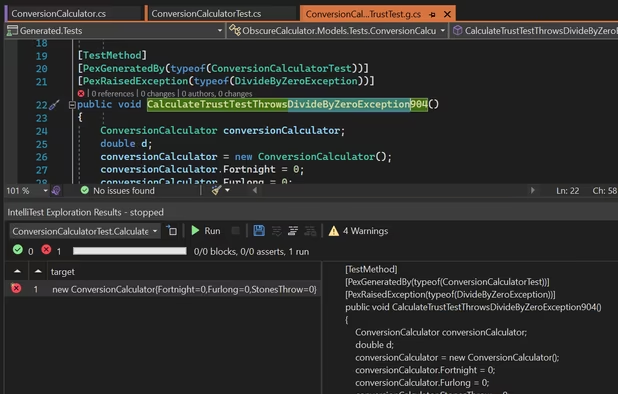
    Microsoft Visual Studio screenshot 3
    Malaz YIMalaz YI’s note

    Microsoft Visual Studio is a fully-featured, extensible, free integrated development environment (IDE) from Microsoft. It is used to develop computer programs for Microsoft Windows, as well as web sites, web apps, web services and mobile apps. C# gets really fun due to the simplicity and robust graphical features that Visual Studio offers, all for free in the community edition.

  2. Visual Studio Express Edition is a slimmed-down version of Visual Studio only supporting C#, but is better for beginners.

    Cost / License

    • Free
    • Proprietary

    Application type

    Platforms

    • Windows
    • Microsoft Visual Studio
    Visual Studio Express screenshot 1
    Malaz YIMalaz YI’s note

    Stripped down version of Visual Studio, it doesn't let users add plugins.

  3. MonoDevelop enables developers to write desktop and web applications on Linux, Windows and Mac OS X. It also makes it easy to port .NET applications created with Visual Studio to Linux and Mac OS X maintaining a single code base for all platforms.

    Cost / License

    • Free
    • Open Source

    Application type

    Platforms

    • Mac
    • Windows
    • Linux
    • .NET Framework
    • Xamarin Studio
    MonoDevelop screenshot 1
    MonoDevelop screenshot 1
    MonoDevelop screenshot 2
    +3
    MonoDevelop screenshot 3
    Malaz YIMalaz YI’s note

    MonoDevelop enables developers to quickly write desktop and web applications on Linux, Windows and macOS. It also makes it easy for developers to port .NET applications created with Visual Studio to Linux and macOS maintaining a single code base for all platforms.

    All that is done by the Mono icon Mono project which is "an open-source port of the .NET framework, It is most commonly used to run .NET under Linux", that was developed by the software company named Xamarin.

  4. Build better apps with Xamarin Studio.

    Cost / License

    • Freemium
    • Proprietary

    Application type

    Platforms

    • Mac
    • Windows
    • Microsoft Visual Studio
    Xamarin Studio screenshot 1
    Universal Search

Quickly find any file, type, member, command, or NuGet package, all in one convenient place.
    Contextual Insights

Place your cursor over any member to see type information, a summary description, and more details, helping you explore both new and familiar APIs.
    +3
    Intelligent Refactoring

Restructure and edit your code faster with context-sensitive code analysis and refactoring actions powered by Roslyn, Microsoft’s open source .NET compiler platform.
    Malaz YIMalaz YI’s note

    Xamarin Studio is an open source app platform from Microsoft for building modern & performant iOS and Android apps with C# and .NET.

    (Xamarin was bought by Microsoft and its products "Xamarin Tools" a now part of Microsoft Visual Studio icon Microsoft Visual Studio)

  5. JetBrains Rider is a powerful integrated development environment (IDE) designed specifically for developing .NET applications. With its intuitive and feature-rich interface, Rider provides developers with a seamless coding experience across multiple platforms, including Windows...

    Cost / License

    • Free Personal
    • Proprietary

    Application type

    Platforms

    • Mac
    • Windows
    • Linux
    JetBrains Rider screenshot 1
    JetBrains Rider screenshot 1
    Malaz YIMalaz YI’s note

    .NET IDE based on the IntelliJ platform and ReSharper icon ReSharper, Supports C#, ASP.NET, ASP.NET MVC, .NET Core, Unity and Xamarin.

  6. Microsoft Small Basic puts the fun back into computer programming. With a friendly development environment that is very easy to master, it eases both kids and adults into the world of programming.

    Cost / License

    • Free
    • Proprietary

    Platforms

    • Windows
    • .NET Framework
    Main Development Window
    A Small Basic GraphicsWindow
    Microsoft Small Basic screenshot 2
    Malaz YIMalaz YI’s note

    Small Basic is the only programming language created specially to help students transition from block-based coding to text-based coding. By teaching the fundamental elements of syntax-based languages in an approachable manner, Small Basic gives students the skills and confidence to tackle more complex programming languages such as Java and C#. You can also build applications for Kinect, Lego Mindstorm, Raspberry Pi, Arduino, Oculus Rift, and more using Small Basic.

  7. scriptcs icon
     Like

    scriptcs makes it easy to write and execute C# with a simple text editor.

    Cost / License

    • Free
    • Open Source

    Application type

    Platforms

    • Windows
    Malaz YIMalaz YI’s note

    While Visual Studio, and other IDEs, are powerful tools, they can sometimes hinder productivity more than they promote it. You don’t always need, or want, the overhead of a creating a new solution or project. Sometimes you want to just type away in your favorite text editor. "scriptcs" frees you from Visual Studio, without sacrificing the advantages of a strongly-typed language.

  8. Stadium icon
     Like

    Stadium is an easy to use, drag and drop tool to rapidly build and host data-driven web applications. Designed for speed and effortless maintenance, Stadium empowers business professionals to create applications 10x faster than traditional software development methods, all the...

    Cost / License

    • Paid
    • Proprietary

    Application type

    Platforms

    • Windows
    • Online
    Designer
    Connection Editor
    Expression editor
    Malaz YIMalaz YI’s note

    Stadium is a web application builder which generates a fully portable and customisable ASP.net, MVC application. Use the drag-n-drop designer to build your application and host it on any server (IIS required). The power of Stadium lies in the fact you can connect to your database and provide a UI for people to view and manage your data directly and securely.

  • Edited by: MZ.

No comments so far, maybe you want to be first?