• Insular icon
  • KeePassDX icon
  • AdAway icon
  • Barinsta icon
  • Open Camera icon
  • +1

Android Privacy

u41cu41c6 appsUpdated
Copy a direct link to this comment to your clipboard

Apps and privacy tools I use/have used or recommend to secure your mobile devices running Android.

  1. Insular icon
     Like

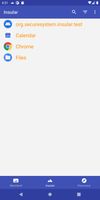
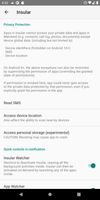
    Sandbox environment to clone selected apps and isolate them from accessing your personal data (fork of Island with closed source parts removed).

    Cost / License

    • Free
    • Open Source

    Platforms

    • Android
    • Android Tablet
    • F-Droid
    Insular screenshot 1
    Insular screenshot 2
    u41cu41c’s note

    Let's you isolate specified applications in a separate user profile that is "sandboxed" to prevent unwanted 3rd party access to your files and other personal data. It uses the built-in Android work profile feature to accomplish this.

  2. KeePassDX icon
     Like

    KeePassDX is a material design KeePass client for managing keys and passwords in an encrypted database for your Android device.

    Cost / License

    • Free
    • Open Source

    Application type

    Platforms

    • Android
    • Android Tablet
    • F-Droid
    • OpenAPK
    KeePassDX screenshot 1
    KeePassDX screenshot 2
    KeePassDX screenshot 3
    u41cu41c’s note

    In my opinion the best keepass-compatible password manager. Clean design and simple to use.

  3. AdAway icon
     Like

    An ad blocker that uses the hosts file. The hosts file contains a list of mappings between hostnames and IP addresses. When an app requests an ad, that request is directed to 127.0.0.1 which does nothing.

    Cost / License

    • Free
    • Open Source

    Application type

    Platforms

    • Android
    • Android Tablet
    • F-Droid
    AdAway screenshot 1
    AdAway screenshot 2
    AdAway screenshot 3
    u41cu41c’s note

    Powerful hostname resolver ad-blocker. You can either use it with or without root, and in rooted mode will manage your systems hosts file for (almost) un-circumventable domain and hostname blocking! Without root it utilizes a local VPN server so that it can act as a man in the middle for all your DNS traffic.

  4. Barinsta icon
     Like

    If you don't upload posts or stories on Instagram, but you still have to use it to keep in touch with people and contents, you now have an alternative: Barinsta is a beautiful client that allows you to browse Instagram, while giving you more options to control your data.

    Cost / License

    • Free
    • Open Source

    Application type

    Platforms

    • Android
    • Android Tablet
    profile
    comments
    conversations
    u41cu41c’s note

    Third-party Instagram client just filled to the brim with useful features such as the ability to download posts, and even collections of media in posts. Allows for browsing without logging into an account, too.

  5. Open Camera is an Open Source Camera app for Android phones and tablets. Features:

    Cost / License

    • Free
    • Open Source

    Application type

    Platforms

    • Android
    • Android Tablet
    • F-Droid
    • OpenAPK
    Open Camera screenshot 1
    Open Camera screenshot 1
    Open Camera screenshot 2
    +2
    Open Camera screenshot 3
    u41cu41c’s note

    Privacy-respecting, open source camera app.

  6. Bromite icon
     Like

    Bromite is a Chromium fork with support for ad blocking and enhanced privacy.

    Cost / License

    • Free
    • Open Source

    Application type

    Platforms

    • Android
    • Android Tablet
    • F-Droid
    Bromite screenshot 1
    Bromite screenshot 2
    Bromite screenshot 3
    u41cu41c’s note

    A wonderful fork of Chromium with lots of bloat and non-privacy-preserving components removed. It even includes support for custom user scripts and stylesheets!

No comments so far, maybe you want to be first?