Apps tagged with 'no-formatting'

All apps in Apps tagged with 'no-formatting' category. Use the filters below to narrow down your search. 
Copy a direct link to this comment to your clipboard
  1. PureText icon
     34 likes

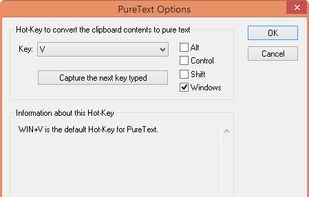
    PureText is a tiny (13Kb) application for Windows that allows you to paste text to any application without formatting, using a hotkey (default Win + V).

    Cost / License

    • Free
    • Proprietary

    Application type

    Platforms

    • Windows
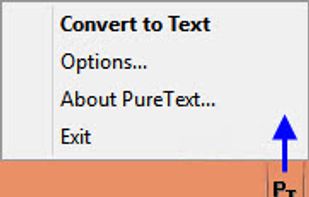
    Notification Area Icon
(Right-Click for Menu, Options)
    Options (4.X)
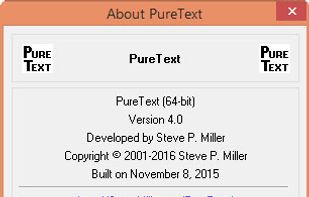
    About
    +1
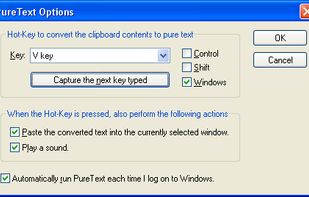
    Options (Previous Version)
    8 alternatives
  2. When copying text from one application and pasting it into another one, you usually get to keep the formatting of the text as well. With formatting, I here refer to font size, text color, bold, hyperlinks, et cetera.

    Cost / License

    • Free
    • Proprietary

    Alerts

    • Discontinued

    Platforms

    • Windows
    6 alternatives
  3.  1 like

    PlainPaste is a simple app to let you paste copied text without formatting in Windows. Simple press Ctrl-V once to paste regularly, or twice fast to paste as text.

    Cost / License

    • Free
    • Proprietary

    Platforms

    • Windows
    • AutoHotkey
    6 alternatives
  4. Purifai icon
     Like

    Purifai removes unsupported formatting while keeping what the destination app understands — so your text pastes cleanly into Mail, Docs, Slack, Word, and more.

    Cost / License

    • Paid
    • Proprietary

    Platforms

    • Mac
    Purifai screenshot 1
    Purifai screenshot 1
    8 alternatives
  5. Clean clipboard clutter while preserving the formatting you actually want, like bold, italics, and links. Strip duplicates, clean AI content, and sort lists with a single keystroke.

    Cost / License

    • Paid
    • Proprietary

    Platforms

    • Windows
    Dashboard
    Clear formatting but keep essentials like bold and hyperlinks while enforcing your preferred font
    
The On-Demand Quick Menu

The perfect tool for one-off tasks. Use the Quick Menu,triggered from any app by hotkey or mouse, to apply any of your saved recipes on the fly. It's your full toolkit, on-demand, without ever needing to open the main dashboard.
    +2
     Custom Paste is built to be invisible. It launches on startup and runs silently in the background, always ready but never in your way.
  6. Copy PlainText is a tiny multi-process extension that removes the formatting from the selection before saving to the Clipboard.

    Cost / License

    • Free
    • Proprietary

    Platforms

    • Mac
    • Windows
    • Linux
    • Firefox
    Copy PlainText screenshot 1
    6 alternatives