Apps tagged with 'docker-ui'

All apps in Apps tagged with 'docker-ui'category. Use the filters below to narrow down your search. 
Copy a direct link to this comment to your clipboard
  1. The most simple, powerful and beautiful host management panel, an open source alternative to OpenResty Edge, allows you to easily secure reverse proxy websites running at home or on the Internet, including access control, denial of service attack protection, automatic...

    Cost / License

    Platforms

    • Online
    • Self-Hosted
    • Software as a Service (SaaS)
    Main
    OpenResty Manager screenshot 1
    48 alternatives
  2. Dockpeek icon
     8 likes

    Dockpeek is a lightweight, self-hosted Docker dashboard that allows you to view and access exposed container ports with a clean, click-to-access interface. It supports both local Docker sockets and remote hosts via socket-proxy, making it easy to keep an eye on multiple Docker...

    Cost / License

    • Free
    • Open Source (MIT)

    Application type

    Platforms

    • Self-Hosted
    • Docker
    Dockpeek screenshot 1
    21 alternatives
  3. Sencho icon
     4 likes

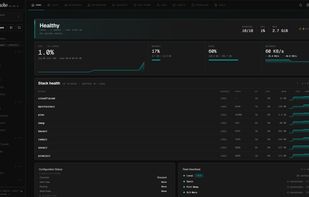
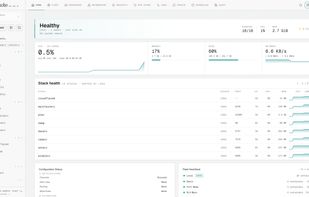
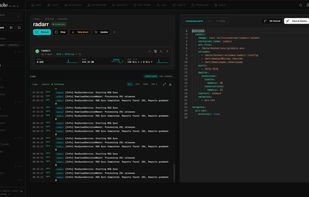
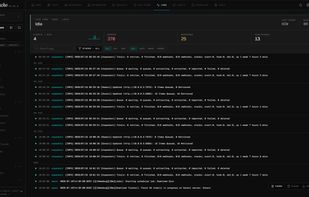
    Sencho is a Docker Compose control plane for DevOps engineers, platform teams, system administrators and homelab users who run services on Compose and need a real operational surface: a graphical interface that does not give up file-on-disk workflows, and the ability to manage...

    Cost / License

    Application type

    Platforms

    • Docker
    • Self-Hosted
    Dashboard Dark
    Dashboard Light
    Editor
    +7
    Logs
  4. DockGraph icon
     1 like

    DockGraph is a free, self-hostable tool for visualizing Docker setups. It connects to the Docker socket and shows your running environment as a live interactive topology map, making it easier to understand how everything is connected at a glance.

    Cost / License

    • Free
    • Open Source

    Platforms

    • Self-Hosted
    Live Topology Graph

DockGraph visualizes a Docker setup as a live interactive topology map, showing how services and infrastructure pieces are connected at a glance.
    Container Detail Panel

Selecting an item in the graph opens a detailed side panel with runtime information, resource usage, networking details, environment data, labels, and logs.
    Table View

The table view offers a structured way to inspect Docker resources, grouped by network, with status, image, resource usage, ports, and related metadata.
    +2
    Dashboard View

The dashboard provides a high-level overview of the Docker host, including running container status, resource charts, disk usage, image information, and recent activity.