Apps tagged with 'eda' Page 2 of 2

All apps in Apps tagged with 'eda' category. Use the filters below to narrow down your search. 
Copy a direct link to this comment to your clipboard
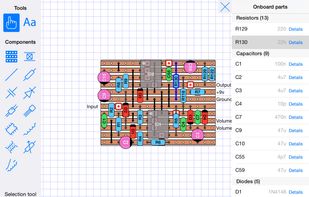
  1. Create electronic circuits for stripboard and veroboard whenever and wherever! Take your design from the schematic stage to a layout that you can print out or share (PNG | PDF). Great for DIY projects, one-offs and prototyping.

    Cost / License

    • Paid
    • Proprietary

    Platforms

    • iPad
    StripboardCAD screenshot 1
    6 alternatives
  2. Synopsys offers Design Compiler 2010 that provides a twofold speedup of the synthesis and physical implementation flow. RTL designers can perform what if floor plan exploration to identify and fix floor plan issues early.

    Cost / License

    • Paid
    • Proprietary

    Platforms

    • Windows
    • Linux
    1 alternatives
  3. JumboCAD EDA icon
     1 like

    JumboCAD EDA contains 3 packages, Schematic Capture, PCB designer and Library Editor.

    Cost / License

    • Free
    • Proprietary

    Platforms

    • Windows
    JumboCAD EDA screenshot 1
    JumboCAD EDA screenshot 1
    JumboCAD EDA screenshot 2
    12 alternatives
  4. kicad StepUp: a new approach to export kicad board and modules in STEP AP214 (with colors).

    Cost / License

    • Free
    • Open Source

    Platforms

    • Mac
    • Windows
    • Linux
    • KiCad
    VRML STEP comparison
    kicad StepUp: USB armory Kicad EDA and MCAD comparison
    kicad StepUp: STEP demo imported in MCAD
    +3
    kicad StepUp: STEP board imported in MCAD
  5. Import your PCB boards to FreeCAD.

    Cost / License

    • Free
    • Open Source

    Platforms

    • Mac
    • Windows
    • Linux
    • FreeCAD
    FreeCAD-PCB workbench: Universal programmable controller
    FreeCAD-PCB workbench: Arduino MEGA2560
    FreeCAD-PCB workbench: Oculus Latency Tester
    +3
    FreeCAD-PCB workbench: open dialog
  6. gpsim icon
     Like

    gpsim is an open sourced simulator for Microchip's PIC microcontrollers. It supports all three families of PICs: 12-bit, 14-bit, and 16-bit cores. See also gputils http://gputils.sourceforge.net/.

    Cost / License

    • Free
    • Open Source

    Platforms

    • Windows
    gpsim screenshot 1
    gpsim screenshot 1
    gpsim screenshot 2
    +2
    gpsim screenshot 3
  7. The program is designed for automatic coloring schemes of printed circuit boards for ease of installation. For its work requires some files with information on the printed circuit board, package generated by P-CAD.

    Cost / License

    • Free
    • Open Source

    Platforms

    • Windows
    After printer schema 1
    console
    Colored DXF file opened from Acad
    +2
    List of components
  8. OmniGlyph icon
     Like

    OmniGlyph (CIRCAD) is a powerful and easy-to-use PCB Design package. Included within one clean and simple program are ample tools for all aspects of circuit design and manufacturing.

    Cost / License

    • Paid
    • Proprietary

    Alerts

    • Discontinued

    Platforms

    • Windows
    OmniGlyph screenshot 1
    45 alternatives
  9. PCB Design Software, Schematic Capture Software and automatic 3D model generation. The PCB layout generates 3D models automatically

    Cost / License

    • Paid
    • Proprietary

    Platforms

    • Windows
    AutoTRAX DEX screenshot 1
    AutoTRAX DEX screenshot 1
    AutoTRAX DEX screenshot 2
    35 alternatives
  10. ProtoFlow icon
     Like

    ProtoFlow is an AI-powered desktop application designed to optimize and streamline the schematic design portion of PCB (Printed Circuit Board) manufacturing. It acts as an intelligent assistant for hardware engineers and makers, using natural language processing to generate...

    Cost / License

    • Freemium
    • Proprietary

    Application type

    Platforms

    • Mac
    • Windows
    • Linux
    A showcase of the Protoflow AI  designing an electronics schematic
    6 alternatives
  11. NetlistViewer is a tool capable of loading netlists in text format (currently only SPICE netlists) and convert them in a schematic (i..e graphical) form.

    Cost / License

    • Free
    • Open Source

    Platforms

    • Windows
    NetlistViewer screenshot 1
  12. Copper icon
     Like

    Copper is able to open any Eagle CAD file saved in the XML file format (Version 6 and above). Copper stores its own settings in another file stored along the .brd and .sch files generated by Eagle and syncs any changes made in Eagle.

    Cost / License

    • Paid
    • Proprietary

    Platforms

    • Mac
    Main window
    Canvas
    Parts/Signals browser