Skitch Alternatives for Windows

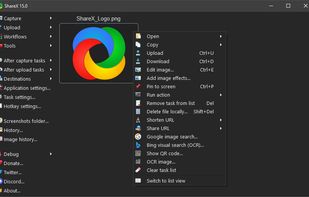
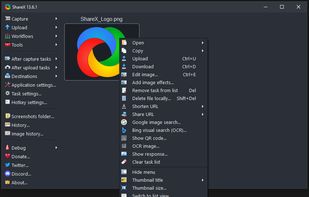
Skitch is not available for Windows but there are plenty of alternatives that runs on Windows with similar functionality. The best Windows alternative is ShareX, which is both free and Open Source. If that doesn't suit you, our users have ranked more than 50 alternatives to Skitch and many of them are available for Windows so hopefully you can find a suitable replacement. Other interesting Windows alternatives to Skitch are Flameshot, Greenshot, PicPick and Snipping Tool.

Copy a direct link to this comment to your clipboard
Skitch alternatives page was last updated

Alternatives list

  1. ShareX icon
     797 likes

    Open-source screen capture and file sharing tool with recording, editing, and annotation features. Supports 4K, dark mode, theming, offline use, and offers a lightweight, ad-free experience without tracking user data.

    263 ShareX alternatives

    Cost / License

    Platforms

    • Windows
    • PortableApps.com
    • Steam
     
  2. Flameshot icon
     258 likes

    Flameshot is a free, open-source screenshot tool that is cross-platform compatible, offering customization, editing features, CLI scripting, and direct Imgur uploads for seamless sharing. It provides an intuitive user experience through features like area selection, annotations, and saving options.

    83 Flameshot alternatives

    Cost / License

    Application type

    Platforms

    • Mac
    • Windows
    • Linux
    • Flathub
    • Snapcraft
     
  3. Greenshot icon
     718 likes

    Lightweight screenshot tool offering OCR, exports to Office apps and online storage, integration with external commands, supporting 32 languages and minimal space requirement.

    219 Greenshot alternatives

    Cost / License

    Application type

    Platforms

    • Mac
    • Windows
     
    |
    1
    Greenshot vs Skitch Comments
    Guest
    Positive
    -2

    Very easy to use, never any drama. Very configurable. Doesn't have annotation features if I remember right but for screenshooting and outputting to any location with custom/incremental filenames it's just great.

    Review by a new / low-activity user.
    • Greenshot is Freemium and Open SourceSkitch is Freemium and Proprietary
    • Greenshot is Lightweight and CustomizableSkitch is not according to our users
  4. PicPick icon
     198 likes

    Provides versatile screen capture options, built-in image annotation, color picking and palette, precision measurement tools like ruler and protractor, hotkey customization, clipboard and multi-format support, simple tray access, sharing, and portable operation.

    210 PicPick alternatives

    Cost / License

    • Free Personal
    • Proprietary

    Application type

    Platforms

    • Windows
    • PortableApps.com
    • Software as a Service (SaaS)
     
    |
    1
    PicPick vs Skitch Comments
    Guest
    Positive
    -2

    You can write on a blank piece of paper!

    Review by a new / low-activity user.
    • PicPick is Free Personal and ProprietarySkitch is Freemium and Proprietary
    • PicPick is CustomizableSkitch is not according to our users
  5. Snagit icon
     201 likes

    Advanced screen capture and recording tool enabling image or video captures directly from your screen. Includes editing features like callouts, transparency, and effects to enhance visuals. Organize and easily share creations through documents, presentations, or favorite applications.

    213 Snagit alternatives

    Cost / License

    • Paid
    • Proprietary

    Platforms

    • Mac
    • Windows
     
  6. A powerful, lightweight, yet full-featured screen capture tool that allows you to easily capture and annotate anything on the screen including windows, objects, menus, full screen, rectangular/freehand regions and even scrolling windows/web pages.

    189 FastStone Capture alternatives

    Cost / License

    • Paid
    • Proprietary

    Platforms

    • Windows
     
  7. Lightshot icon
     209 likes

    Captures selectable screen regions for Windows and Mac, offers instant uploading, quick editing, and sharing through short URLs, supports saving locally, annotating, clipboard copying, browser add-ons, upload history access, and operates without heavy system use.

    194 Lightshot alternatives

    Cost / License

    • Free
    • Proprietary

    Application type

    Alerts

    • Warning
    • Bundleware

    Platforms

    • Mac
    • Windows
    • Google Chrome
    • Wine
    • Mozilla Firefox
     
  8. Snipaste icon
     31 likes

    Snipaste is a simple but powerful snipping tool, and also allows you to pin the screenshot back onto the screen. Snip. Then paste. Free. Customizable. Portable.

    61 Snipaste alternatives

    Cost / License

    • Freemium
    • Proprietary

    Application type

    Platforms

    • Mac
    • Windows
     
  9. Monosnap icon
     40 likes

    Monosnap allows you to save screenshots easily, conveniently, and quickly, sharing them with friends and colleagues at once.

    43 Monosnap alternatives

    Cost / License

    • Freemium
    • Proprietary

    Platforms

    • Mac
    • Windows
    • Google Chrome
     
    |
    1
    Monosnap vs Skitch Comments
    adam60i
    Positive
    1

    This is probably the best screenshot editor. You can add multiple screenshots to the same working area and connect them. Great annotation tools. And it's free.

    Review by a new / low-activity user.
    • Monosnap is Freemium and ProprietarySkitch is also Freemium and Proprietary
  10. Zight icon
     162 likes

    Enables screen and webcam capture, detailed video and screenshot editing, organized meeting notes, AI-powered transcription, and cloud-based instant sharing of annotated visual content via direct links or drag-and-drop integration with communication apps on Windows and Mac.

    Cost / License

    • Freemium
    • Proprietary

    Application type

    Platforms

    • Mac
    • Windows
    • Online
    • Jira
    • Trello
    • Zendesk
     
  11. Capture the whole page or any portion, annotate it with rectangles, circles, arrows, lines and text, one-click upload to share.

    Cost / License

    • Freemium
    • Proprietary

    Platforms

    • Mac
    • Windows
    • Google Chrome
    • Safari
    • Firefox
     
    |
    1
    Awesome Screenshot vs Skitch Comments
    Guest
    Positive
    2

    Awesome Screenshot doesn't force you sync with their company's server like Skitch. But their viewer and annotation tools could be better.

    Review by a new / low-activity user.
    • Awesome Screenshot is Freemium and ProprietarySkitch is also Freemium and Proprietary
12 of 45 Skitch alternatives