


XL Share Board
Clipboard for text, image and files between computers on a LAN (local area network).
Cost / License
- Paid
- Proprietary
Platforms
- Mac
- Windows

Features
- LAN
XL Share Board News & Activities
Recent activities
XL Share Board information
What is XL Share Board?
Why use XL Share Board?
Have you ever emailed yourself a piece of text that you wanted to get onto the computer across the room?
Had to set up a network sharing folder to transfer a file between two of your computers?
Had to dig through your bag looking for that USB drive to transfer a Word document from your work laptop to your home desktop computer?
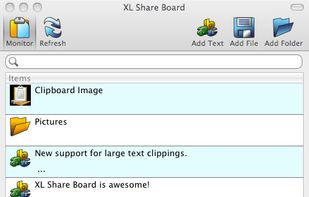
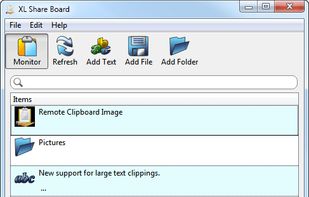
If you answered yes to any of these questions then XL Share Board is the perfect solution for you. XL Share Board takes the pain away from having to share text and files between your computers. You simply download the client to your Windows or Mac OS X computers and they will instantly find and start sharing with each other. You can then just copy the text that you want to share and it will show up on all the computers running XL Share Board on your network. You can also drag and drop any file or folder to the client and the file or folder will be available for download on every other machine. There is no configuration needed, just run and share.
Feature Overview
Monitors your clipboard and instantly shares any new text or image detected. Keeps a history of all the text and image entries on your clipboard. Share files and folders. Cross platform, works on Windows and Mac OS X. Simple drag and drop interface. Ability to encrypt communication on the network. Specify groups to create separate sharing groups within your network. Licensed per user regardless of how many computers are on your network. Flexible licensing, purchase a multi-platform or single-platform license.