


WorldCard Mobile
3 likes
WorldCard Mobile, the leading business card scanning application for iPhone, uses OCR technology to instantly transfer information from business cards to users' native contacts.
Cost / License
- Freemium (Pay once)
- Proprietary
Platforms
- Android
- iPhone

Features
- OCR
- Image Processing
- Business card scanner
WorldCard Mobile News & Activities
Highlights All activities
Recent activities
WorldCard Mobile information
Developed by
 PenPower Technology Ltd.
 Licensing
Proprietary and Freemium product.Pricing
One time purchase (perpetual license) that costs $30 + free version with limited functionality.Alternatives
7 alternatives listedSupported Languages
- English
- Dutch
- French
- German
- Italian
- Japanese
- Korean
- Portuguese
- Chinese
- Spanish


No comments or reviews, maybe you want to be first?
What is WorldCard Mobile?
WorldCard Mobile, the leading business card scanning application for iPhone, uses OCR (Optical Character Recognition) technology to instantly transfer information from business cards to users' native contacts. With a simple click of the camera, you no longer have to manually input contact info from business cards or email signatures.
Why WorldCard Mobile?
- Capture business cards anytime & anywhere.
- Capture business card images with the iPhone’s camera.
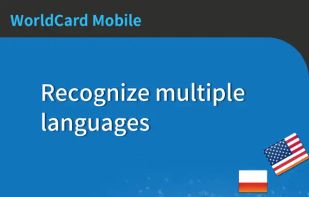
- Recognition of 26 languages: English, French, German, Italian, Spanish, Portuguese, Dutch, Czech, Greek, Hungarian, Polish, Portuguese (Brazil), Russian, Slovak, Spanish (Mexico), Turkish, Finland, Sweden, Denmark, Norway and Arabic, Traditional Chinese, Simplified Chinese,Japanese, Korean.
- Sort recognized information by name, position, company, phone number, fax number, address or other fields.
Manage contacts easily
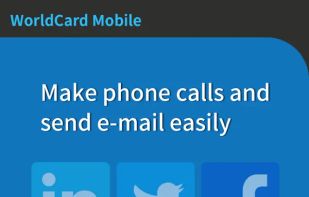
- View and manage contact info with Card holder function. Make a phone call, send SMS and email to your contacts directly.
- Provide nearby contacts function help you visit contacts easily
- Select partially and recognize the specific area that contains the correct data.
- Find your contacts on Facebook, LinkedIn and Twitter. Expand your social and professional networks.
- Support cover flow function in landscape mode
Smart functions for your business
- Exchange contact data through Open In, Mail and iTunes File Sharing. Import/export or backup your data on Mac/Windows quickly and conveniently.
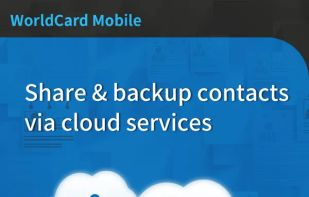
- Share or backup your contacts via cloud services (iCloud / Dropbox). Manage your contacts on all devices, such as Mac or Windows PC.
- Recognize QR code to get more information easily.
- Copy email signatures and add them to your contact lists.

