


WinLock
WinLock is a comprehensive security software for personal or publicly accessible computers running all versions of Windows from 95 to Windows 7. It is a program that ensures that only authorized people can access sensitive information on your computer.
Cost / License
- Paid
- Proprietary
Platforms
- Windows

Features
Tags
WinLock News & Activities
Recent activities
WinLock information
Developed by
 Crystal Office Systems
 Licensing
Proprietary and Commercial product.Alternatives
1 alternatives listedSupported Languages
- English

What is WinLock?
WinLock is a comprehensive security software for personal or publicly accessible computers running all versions of Windows from 95 to Windows 7. It is a program that ensures that only authorized people can access sensitive information on your computer.
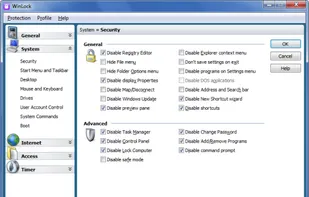
This security tool allows you to restrict your users from accessing important system resources like Control Panel, desktop, and system registry, disable Windows hotkeys (such as Alt-Ctrl-Del, Alt-Tab, Ctrl-Esc, etc.), hide the Start button and taskbar.
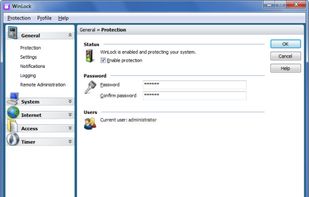
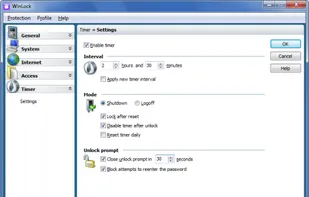
With WinLock you can control how long others can use your computer. It runs from the system tray and requires a password to gain access to the available settings.
It loads automatically with Windows and allows you to add an optional startup message, provide audio notification, and set the time limit. Once that limit is reached, Windows is summarily shut down. You can toggle the timer on and off from the tray.
Parental control system lets you activate filters that allow access to websites that are useful for learning and reference only. That's why responsible parents install WinLock on every computer that their children use.
It also lets you deny access to selected files, applications, and Explorer windows (Recycle Bin, My Computer, etc.), usb and hard drives, filter Internet content and prohibit access to questionable websites. When enabled, there is no way around it without the proper password.
Whether you're worried about coworkers going on the network and gaining unauthorized access to your private files, or your kids messing up your work files, WinLock is a software-only solution to your security needs.
Comments and Reviews
Total computer lock