- Global





The best open source alternative to Windows Calculator is SpeedCrunch. If that doesn't suit you, our users have ranked more than 100 alternatives to Windows Calculator and loads of them are open source so hopefully you can find a suitable replacement. Other interesting open source alternatives to Windows Calculator are Qalculate!, OpenCalc, Calculator You and GeoGebra Scientific Calculator.

Kalk is a convergent calculator application built with the Kirigami framework. Although it is mainly targeted for mobile Linux platforms, it can also be used on the desktop.
 Germany
 EU


Its an app where you do maths like a normal person. It lets you type whatever you want and smartly figures out what is math and spits out an answer on the right pane. Then you can plug those answers in to future equations and if that answer changes, so does the equations its...

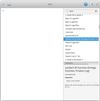
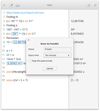


Android UI of the almighty Qalculate! calculator. It is simple to use but provides power and versatility normally reserved for complicated math packages, as well as useful tools for everyday needs (such as currency conversion and percent calculation).
GermanyEU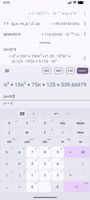
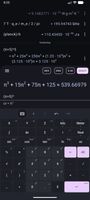
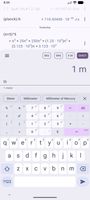


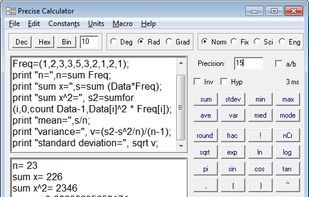
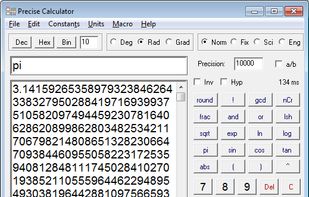
Programmable scientific calculator which has more than 150 mathematical functions and all of them return as many digits as you need. It can calculate with real numbers, complex numbers, fractions, vectors, matrices. Commands if, goto and print can be used to create scripts.
 CzechiaEU


 China


Calculator is a simple 4 function calculator, with a panel that has more advanced functions when you need them. It includes history, real time graphing, base conversion, and more. It also comes with a lockscreen widget, a floating calculator, and a wear app so you can use...


GraphCalc is an all-in-one solution to everything from everyday arithmetic to statistical analysis, from betas to Booleans, from cubes to calculus, from decimals to derivatives. GraphCalc combines all the features of a professional mathematics package with the simplicity of an...


MATE Calculator is the official calculator for the MATE desktop environment. It has been designed to be used with either the mouse or the keyboard. It is visually similar to a lot of hand-held calculators.


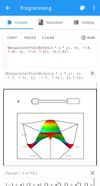
Power calculator for Android. Has Calculus, Algebra, 2D/3D Graphing and other features.