WindowBlinds Alternatives

WindowBlinds is described as 'Customize Windows interface with themes and skins, offering personalization for the Start menu, taskbar, and more, including fonts and colors' and is a System Tweaker in the os & utilities category. There are more than 25 alternatives to WindowBlinds for a variety of platforms, including Windows, Linux, Android, Android Tablet and BSD apps. The best WindowBlinds alternative is Open Shell, which is both free and Open Source. Other great apps like WindowBlinds are 7+ Taskbar Tweaker, Classic Shell, Start11 and StartAllBack.

Copy a direct link to this comment to your clipboard
WindowBlinds alternatives page was last updated

Alternatives list

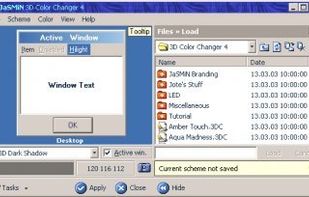
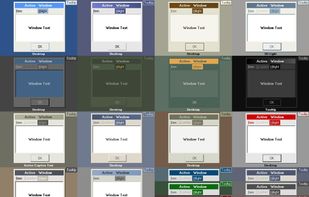
  1. Simple tool for changing the colours of "Windows Classic" theme. You will gain access to User Interface aspects that Microsoft restricted: 3D Frames' colors, mouse hot-tracking color and more. // NOTE: even though this app is commercial, the payment is not forced an.

    Cost / License

    • Paid
    • Proprietary

    Platforms

    • Windows
     
    |
    1
    3D Color Changer vs WindowBlinds Comments
    Guest
    Negative
    1

    3D Color Changer doesn't allow to change themes, only color modification allowed, practically none of functionality of WindowBlinds.

    Review by a new / low-activity user.
    • 3D Color Changer is Paid and ProprietaryWindowBlinds is also Paid and Proprietary
  2. StartW8 icon
     3 likes

    StartW8 is a FREE but powerful tool for Windows 8 users. Do you prefer desktop to modernUI? Would you like to logon directly to desktop? And than use "Start" menu for runnig your apps? Then it's right for you.

    Cost / License

    • Free
    • Proprietary

    Alerts

    • Discontinued

    Platforms

    • Windows
     
  3. Classic Start Menu is considered as a perfect replacement to Windows 7 Start Menu. It helps you to find programs and folders many times faster. You always know where you put your things because folders expand when you hover over them.

    Cost / License

    • Freemium
    • Proprietary

    Alerts

    • Discontinued

    Platforms

    • Windows
     
  4. How to add a Start button to Windows 8? Just install Start Button 8! The package contains a Start button and a convenient Menu. A ready solution for those who like to keep everything under control.

    Cost / License

    • Free
    • Proprietary

    Platforms

    • Windows
     
  5. Skip Metro Suite for Windows 8 allows you to boot directly to Classic Desktop in Windows 8 RTM and Release Preview.Also it allows you completely disable all edge panels, not just hide them! All of them will be disabled, including square start button at bottom-left corner.

    Cost / License

    • Free
    • Proprietary

    Platforms

    • Windows
     
  6. Liteshell icon
     2 likes

    tiny windows shell (explorer.exe) replacement designed for slow PCs. Is a minimalist's shell - no screen space is occupied by the shell. When you right-click on the desktop or press a hotkey, a menu provides access to your programs, documents, tasks and anything else you.

    Cost / License

    • Free
    • Proprietary

    Alerts

    • Discontinued

    Platforms

    • Windows
     
  7. BorderSkin icon
     1 like

    A free portable software to skin the windows borders by skins composed of png images with the support of several features like Blur, Reflection and Aero Explorer.

    15 BorderSkin alternatives

    Cost / License

    • Free
    • Open Source (MIT)

    Platforms

    • Windows
     
  8. Finalbird icon
     5 likes

    Finalbird is a free program to always reach required folders, files and programs, to work faster and more efficiently.

    Cost / License

    • Free
    • Proprietary

    Platforms

    • Windows
     
  9. SmartWindows icon
     3 likes

    SmartWindows streamlines the way you work. It is perfect for professionals looking to optimize the overall work experience or switch between projects. You can save display preferences for applications with the help of a few clicks.

    Cost / License

    • Freemium
    • Proprietary

    Platforms

    • Windows
     
  10. Start Everywhere is a Start Menu software which offers several unique solutions to enable you to launch applications installed on the computer and quickly access documents.

    Cost / License

    • Free
    • Proprietary

    Platforms

    • Windows
     
  11. A Windows 8 start button and start menu for Windows 8.

    Cost / License

    • Freemium
    • Proprietary

    Platforms

    • Windows
     
  12. ViStart icon
     Like

    A skinnable start menu to replace your existing Windows XP start menu. It also allows you to get the Windows Start Menu back on Windows 7, 8 or 10.

    Cost / License

    • Free
    • Proprietary

    Alerts

    • Discontinued
    • Warning

    Platforms

    • Windows
     
You are at page 3 of WindowBlinds alternatives