


watchOS
watchOS helps you better understand your daily health status using your overnight vitals and shows you how workouts impact your body over time.

Cost / License
- Free
- Proprietary
Platforms
- Apple Watch


Features
- Support for Smartwatch
Tags
watchOS News & Activities
Recent News
- Maoholguin published news article about iOS
 Apple launches version 26 across iOS, macOS, iPadOS and more with new Liquid Glass design
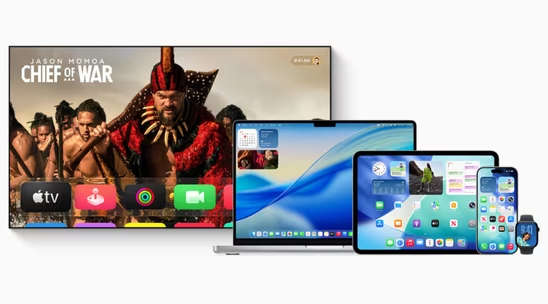
Apple has officially released iOS 26, macOS 26 Tahoe, iPadOS 26, watchOS 26, tvOS 26, and visionOS ...
- Fla published news article about watchOS
 Apple restores blood oxygen monitoring to Apple Watch in US update
Apple has announced the return of blood oxygen monitoring to Apple Watch devices in the United Stat...
- Maoholguin published news article about iOS
 Apple unveils version 26 across its OS lineup with new design language & several features
Apple announced major operating system updates at WWDC 2025, introducing several new features acros...


Recent activities
- babsors liked watchOS
What is watchOS?
watchOS helps you better understand your daily health status using your overnight vitals and shows you how workouts impact your body over time.
Pause your rings
Move, Exercise, and Stand rings show your daily activity, and the goal is to close them every day. But if you need to take a break, you can now put your rings on pause for a day, week, month, or more and keep your award streak going.
More customizable than ever
Now you can adjust your Activity ring goals for every day of the week. So you get the motivation you need on the days you need it.
New ways to serve up your Summary
Add, move, or remove metrics in the Summary tab of the Fitness app on iPhone — to include what matters to you most. And check out new metrics for running, cycling, swimming, and more.
See what’s typical for you
Vitals establishes a typical range for each of your health metrics collected as you sleep. So you’ll always know at a glance how your metrics are stacking up.
Know when to pay more attention to your body
If multiple metrics are ever outside your typical range, you’ll receive a notification along with context for factors that may be involved — like medications, elevation, alcohol, or even illness. All to help you know when it’s a good idea to pay closer attention to your body.
A new tool to help athletes achieve their goals
Training load helps you see how the intensity of your workouts may impact your body over time. So you can make informed decisions about how and when to adjust your workouts — especially when you’re training for a big event. You can also see your overnight vitals for additional insights. Review your training load in the Activity app.
Track your effort
After completing most cardio-focused workouts in the Workout app, you’ll be able to review a new effort metric in the summary indicating how hard you exercised. Your pace, elevation, heart rate, and personal data like age, height, and weight are factored into each rating.
Know if you’re undertraining or overdoing it
Training load compares the intensity and duration of your workouts over the last seven days to what you’ve done over the previous 28 days. It then classifies your current training load on a scale from well below to well above — to help you understand the relative strain on your body and decide if it’s sustainable.
Picture-perfect images, curated for you
Powered by machine learning, the redesigned Photos face can search thousands of photos in your library, intelligently analyze them, and select the best compositions, framing, and image quality for your watch. To give the people, places, or things you love the star treatment.
Filter your favorites
Select specific people, pets, nature, or cities, and watchOS 11 will find the best shots and serve them up.
watchOS information
Developed by
 Apple
Apple Licensing
Proprietary and Free product.Alternatives
9 alternatives listedNews
11 news article related to watchOSSupported Languages
- English


