


WAMA
Cloud based warehouse management tool available for WEB, Android and REST API. The main features include: product inventory, barcode scanner, POS, multi user, multi point of sale, location and supplier tracking, purchase and sales orders and more...
Cost / License
- Freemium (Subscription)
- Proprietary
Platforms
- Online
- Android

WAMA
Features
- Point of sale
- Barcode Scanner
 Android Sync
- Dashboard
- Notifications
- Scanner
- Support for Multiple Users
- Inventory Management
WAMA News & Activities
Recent activities
WAMA information
Developed by
 fullstack3 Limited
 Licensing
Proprietary and Freemium product.Pricing
Subscription ranging between $15 and $65 per month + free version with limited functionality.Alternatives
0 alternatives listedSupported Languages
- English
What is WAMA?
WAMA is the Android and WEB app that helps you to manage your warehouse, organise the warehouse inventory and have all the information updated in real time. You don't have to buy any special hardware, all you need is a smartphone or tablet or a web browser if you want to use the web app. Use the smartphone camera to scan barcodes and take product photos. All data are synced online, this allows you to access your data everywhere, using the Android app from your smartphone or tablet, using the web interface with a browser or using the REST JSON API. Thanks to WAMA you can keep all the warehouse data in one place solving all the data replication issues.
You can export and delete all your data from the WAMA servers whenever you want. We are very worried about security, WAMA use the latest technologies and the best people to make sure that all the data are safely stored and accessible only to the owner. We’ll never share your data with anyone.
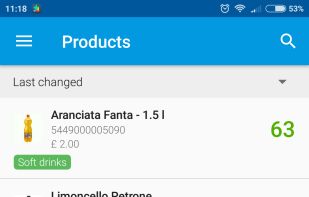
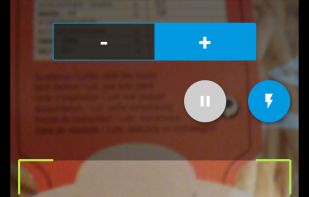
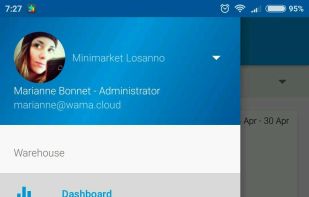
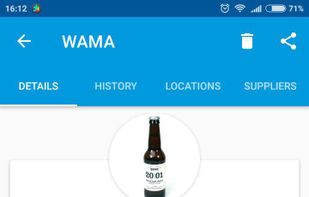
Features • Products: add, edit, search, delete products. A lot of information are saved in the product details: code, name, photo, barcode, description, supplier, location... • Stock movements history: you can load or unload stock using the dedicated feature in the product detail or using the smartphone camera to scan the barcode or via web using an usb barcode scanner • Categories: organise the products with categories • Sales order: once a sales order is created the stock is automatically updated • Multi point of sales: all you need to support a franchising activity or multiple warehouses • Stock transfers: allows to transfer products between two point of sales or to a customer • Suppliers: save your supplier contacts and assign them to the stock movements • Locations: you can save the location of every product in your warehouse • Customers: sales orders or stock transfers can be assigned to customers • Dashboard: you can see all the information about your warehouse: total number of products, total cost, warehouse stock trend.
