



VSDC app for iOS
VSDC Free Video Editor is a feature-rich, non-linear video editing suite that provides video creators with a wide array of tools for producing high-quality videos. Designed to be accessible yet powerful, VSDC supports a wide range of video editing functions suitable for both...
Cost / License
- Freemium (Pay once or Subscription)
- Proprietary
Platforms
- iPhone

VSDC app for iOS
Features
- Chroma Key / Green Screen
- Colour Grading
- Support for 4K
Tags
- videos
VSDC app for iOS News & Activities
Recent activities
VSDC app for iOS information
What is VSDC app for iOS?
VSDC Free Video Editor is a feature-rich, non-linear video editing suite that provides video creators with a wide array of tools for producing high-quality videos. Designed to be accessible yet powerful, VSDC supports a wide range of video editing functions suitable for both beginners and more advanced users.
Key features of VSDC Free Video Editor include:
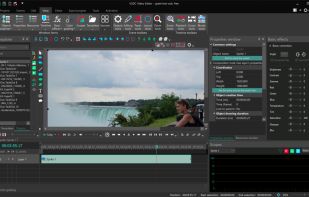
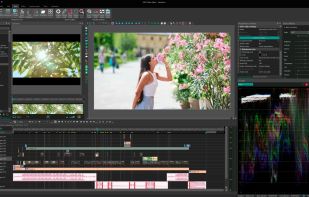
Non-Linear Editing: Unlike traditional linear editing software, VSDC allows for complex projects with multiple layers and tracks, giving users flexibility in their editing process.
Support for Various Formats: The editor supports virtually all video, image, and audio formats, making it easy to work with any media type.
Visual and Audio Effects: With a vast range of visual and audio effects, users can enhance their videos with filters, transitions, color correction, and sound effects.
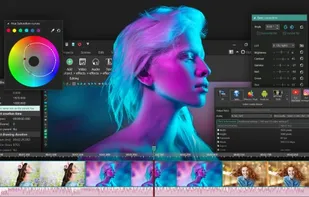
Advanced Features: For more experienced users, VSDC offers advanced tools like Chroma Key (green screen), video stabilization, color grading, and mask tool.
Motion Tracking: This feature enables tracking the movements of objects in a video, allowing for dynamic editing and effects application.
Easy Export to Social Media: VSDC provides optimized export profiles that make it simple to publish videos directly to various social media platforms, including YouTube, Facebook, and Instagram.
Built-in DVD Burning Tool: Users can easily burn their edited videos to a DVD with the integrated disc burning tool.
4K and HD Support: The software is capable of editing and exporting videos in high-quality formats, including 4K and HD.
User-Friendly Interface: VSDC offers an intuitive interface that beginners can quickly learn, while also providing advanced tools for more experienced editors.
Free to Use: One of the most significant advantages is that it's completely free, making it an accessible option for anyone looking to edit videos without a financial commitment.
VSDC Free Video Editor stands out as a versatile and accessible option for anyone looking to produce professional-quality videos, from casual hobbyists to aspiring filmmakers.
