


Videodrive
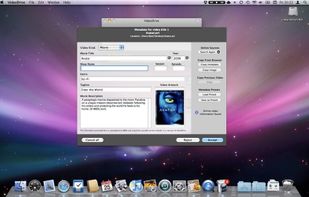
Add your video collection to iTunes with one click. No need to reconvert videos. Simply add your videos and automatically add metadata and artwork.
Cost / License
- Freemium
- Proprietary
Platforms
- Mac

Features
- Streaming
- Synchronization
- Srt
Tags
- add-video-to-itunes
- video-to-itunes
- TV Shows
- apple-tv
- videos
- front-row
- quicktime
- Subtitles
- Metadata
- Watch movies
Videodrive News & Activities
Recent activities
Videodrive information
Developed by
Aroona SoftwareLicensing
Proprietary and Freemium product.Pricing
free version with limited functionality.Alternatives
1 alternatives listedSupported Languages
- English

What is Videodrive?
Add your video collection to iTunes with one click. No need to reconvert videos. Simply add your videos and automatically add metadata and artwork.
Unlock your video collection by putting your videos in iTunes. VideoDrive supports all current video formats (including AVI, MKV, WMV, FLV, MPG, MP4, OGG, etc), and does not require lengthy video conversions. Videos are added quickly and easily with one click.
Nine import methods to take full control over your video collection. Put your videos in the iTunes media folder or organize them on an external disk or folder. Watch your videos right in iTunes or Front Row or sync and stream them to AppleTV, iPad, iPod or iPhone.
Advanced features
Automatic imports with Hot Folders, faster video conversions with Elgato Turbo.264 HD, iTunes menu integration, toggling of SRT subtitles, merging of video parts, QuickTime video editing, import queueing, ...