



Vanilla File Manager
Vanilla File Manager also known as File Explorer is best and effective file manager for android marshmallow and upcoming android operating system.
Cost / License
- Free
- Proprietary
Platforms
- Android
- Android Tablet

Vanilla File Manager
Features
Vanilla File Manager News & Activities
Recent activities
Vanilla File Manager information
Developed by
 Nestle Developers
 Licensing
Proprietary and Free product.Alternatives
0 alternatives listedSupported Languages
- English
What is Vanilla File Manager?
Vanilla File Manager also known as File Explorer is best and effective file manager for android marshmallow and upcoming android operating system.
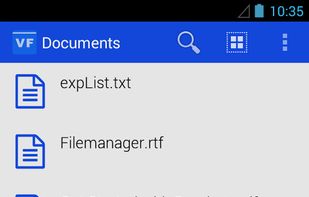
Unless other file manager application, vanilla file manager (File Explorer) is very simple, elegant and easy to use. Instead of having all features like remote(google drive, dropbox, sugar sync etc) file manager, application manager, ram cleaner in single file manager application we are only supporting local file system in vanilla file manager. But we didn’t compromise with basic features required to make file manager to effective and to make it more productive. It supports all basic file operation you required in daily routine. Vanilla file manager also supports external usb media so you can manager your files stored in usb media easily using this file manager.
Highlights of Vanilla File Manager (File Explorer) :
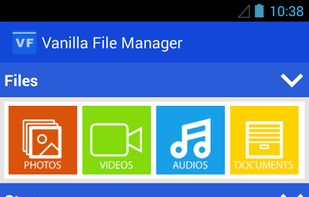
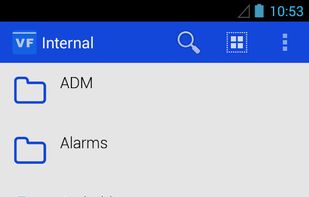
- Supports local storage : It supports phone’s internal storage as well SD cards.
- Supports external usb media : You can insert any supported USB media and can manage your files.
- Effective File Manager (File Explorer) : Supports all basic file manager features like copy, move, delete and more features which is listed below.
Features of Vanilla File Manager (File Explorer) :
• Copy Files : Like you are copying file in desktop or laptop you can copy your file easily with this file manager. You just need to select the file to copy , Tap on copy option then application will ask for the location where you want to copy it. Sounds easy? It is really easy. • Move Files : Similar to copy feature, you can move your file easily in same way. • Delete Files : Many times you required to delete files from your device and using Vanilla file manager you can delete file easily without connecting your device to your desktop or laptop. • File Property : Unless other file manager, vanilla file manager shows you property of the file or folder similar to you see in the desktop or laptop.
