


TimTodo
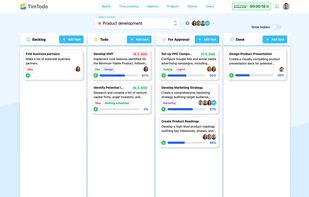
TimTodo lets you manage tasks with deadlines, track time directly on projects, see real-time profitability of clients and team members, and control access with role-based permissions — all in one simple platform.
Cost / License
- Freemium (Subscription)
- Proprietary
 EU
EUPlatforms
- Online

TimTodo
Features
Properties
- Lightweight
- Distraction-free
- Privacy focused
Features
- Reminders
- Goal Setting
- Kanban Board
- Real time collaboration
- Goal Tracking
- Ad-free
- File Tagging
- Task Time Tracking
Tags
- project-planning
TimTodo information
Developed by
 Sentiscrape
 Licensing
Proprietary and Freemium product.Pricing
Subscription that costs up to $8 per month + free version with limited functionality.Alternatives
0 alternatives listedSupported Languages
- English
What is TimTodo?
Running a business isn’t just about finishing tasks — it’s about finishing them on time, keeping clients happy, and making sure the work is profitable. Many companies struggle with this because the tools available are either too simple to provide insights or too complex to actually use. That’s why TimTodo exists: to give teams a straightforward way to manage projects, track time, and understand profitability without drowning in unnecessary features.
What TimTodo Does Tasks & Deadlines – Create tasks, assign them to the right people, set priorities and deadlines. Everyone knows who’s responsible and what’s due. Time Tracking – Log hours directly on tasks or projects, either manually or with timers. Every minute worked is accounted for. Profitability Insights – Compare costs and billable rates to see if projects, clients, or team members are profitable. Reports – Filter results by project, client, or user to get clear, actionable overviews of time and money. Role-Based Permissions – Control what each person sees: team members view only their tasks, managers see the big picture, and clients can get limited access. Team Collaboration – Keep communication inside tasks with comments and file sharing, so everything stays in context. Use Cases Across Industries Marketing Agency – The team runs campaigns for multiple clients. TimTodo helps assign tasks to copywriters, designers, and social media managers with strict deadlines. Managers track billable vs. non-billable hours to ensure each client campaign stays profitable. Software Development Studio – Developers log time against sprints and features. Leads see which projects consume the most resources and whether the billing rates cover the actual development costs. Reports help estimate future projects more accurately. Consulting Firm – Consultants track billable hours for meetings, research, and reports. Managers use profitability insights to compare client accounts, ensuring retainers are priced correctly and no time is lost in non-billable work. Creative Design Team – Designers manage tasks for branding, websites, and visual campaigns. TimTodo makes deadlines visible to everyone and allows managers to quickly spot which projects deliver value and which are draining resources. IT Services Provider – Engineers handle multiple support tickets and implementation projects. Permissions ensure technicians only see their assignments, while managers track overall team utilization and client profitability.
Why It Works TimTodo isn’t trying to replace every tool you use. It focuses on the essentials: clear tasks, reliable time tracking, and profitability insights. By keeping things simple, it gets adopted quickly and actually used daily. And because it was built from feedback of real teams, it keeps evolving to become even more user-friendly. TimTodo helps you stay organized, meet deadlines, and keep every project profitable — no clutter, just clarity.