



Swift Invites
Swift Invites is an online web application for creating and sending email invitations to events such as weddings, birthdays, etc.
Cost / License
- Freemium (Pay once)
- Proprietary
Platforms
- Online

Swift Invites
Features
Tags
- marketing
- Events
Swift Invites News & Activities
Recent activities
Swift Invites information
What is Swift Invites?
Swift Invites is an online web application for creating and sending email invitations to events such as weddings, birthdays, etc.
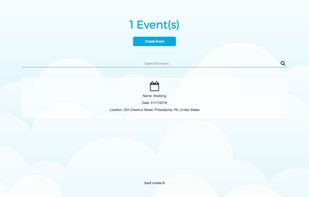
Once you have created an account, you can then create an event and provide all the details which will be used in your email invitation for your event which includes the following:
• Event name • Event date • Event location (Using Google Maps) • RSVP date for event • Event image
All the details above can also be changed under the settings section once an event has been created.
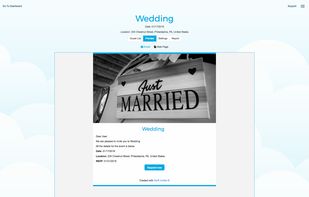
Once you have created your event, you can also send a test email invitation to the email that is linked to your account to see what your email invitation and response web page will look like.
The response web page embeds a Google Map of the location for your event making it easy for your guests to find the location of your event.
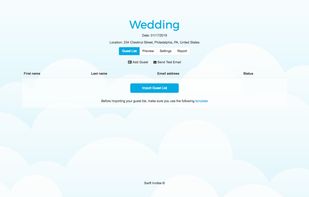
If you are happy with how your email invitation and response web page looks, you can import your guest list which needs to be a CSV file.
After you have imported your guest list, you will be able to send your email invitation to everyone on your guest list.
When all email invitations have been sent, you can view the reporting section to see how many guests you invited, how many people will be attending your event, how many guests have given a yes and no response and who has not responded yet.
You can also resend to your entire guest list or to selected guests. If their responses change, it will be reflected in the reporting section.
You are also able to remove guests from your guest list and add individual guests to it.
Swift Invites has a free account which is limited to only being able to create one event and subscription accounts with which you can create as many events as you want.