


Stellar Converter for Database
An efficient database inter-conversion tool for MS SQL, MySQL, SQLite and SQL Anywhere databases. It ensures 100% integrity and accuracy of data while converting database records from one database file format to another.

Cost / License
- Subscription
- Proprietary
Platforms
- Windows


Stellar Converter for Database
Features
Tags
- databaseconverteronline
- databasefileconverter
- Database
- databaseconverter
Stellar Converter for Database News & Activities
Recent activities
Stellar Converter for Database information
Developed by
 Stellar Information Technology Pvt. Ltd.
 Licensing
Proprietary and Commercial product.Pricing
Subscription that costs up to $199 per month.Alternatives
0 alternatives listedSupported Languages
- English
What is Stellar Converter for Database?
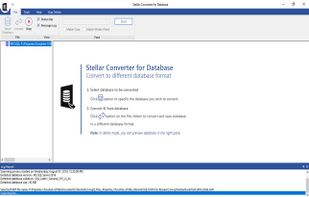
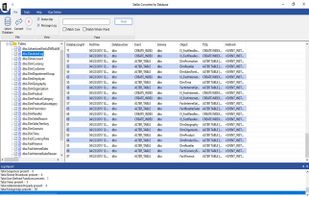
Best Database converter software for MySQL, MS SQL Server, SQLite and convert one database file to another format. 100% safe combination of database migration tools like MSSQL to MYSQL, MYSQL to MSSQL , MYSQL to SQLite etc. The database converter software scans and displays list of database tables associated with one database that can be converted into another database format. Essentially, the preview feature helps verify the convertible database records into your specified database file format. The software also generates a log report containing details of the complete conversion process. You can choose to save the log report at a specified destination. The generated log report includes start and end time of the conversion process, converted database version, database size, name of the database file and the detailed status of the converted database tables. Key Features:
- Interconvert MS SQL (.mdf), MySQL, SQLite (.db and .sqlite) & SQL Anywhere (.db) files
- Convert and organize database records efficiently
- Convert multiple data types and attributes
- Allows to convert individual or multiple database tables
- Efficiently handles large databases
- Provides detailed log report of database conversion process