


SnapMotion
SnapMotion is the most innovative and most used tool to extract images from videos. The application allows you to extract frames with precision and without loss of quality.
Cost / License
- Pay once
- Proprietary
 EU
EUPlatforms
- Mac

SnapMotion
Features
Tags
- videos
- Images
- photography
SnapMotion News & Activities
Recent activities
SnapMotion information
Developed by
 NeededApps
 Licensing
Proprietary and Commercial product.Pricing
One time purchase (perpetual license) that costs $9.Alternatives
0 alternatives listedSupported Languages
- English
What is SnapMotion?
SnapMotion is the most innovative and most used tool to extract images from videos. The application allows you to extract frames with precision and without loss of quality.
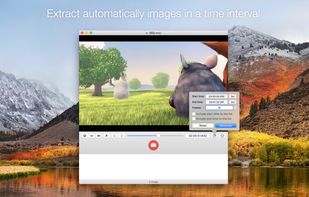
Two modes are provided:
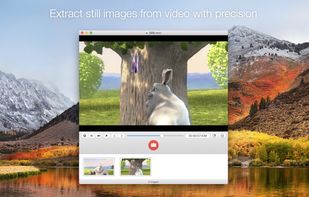
- A manual mode allowing you to extract images precisely at the selected time.
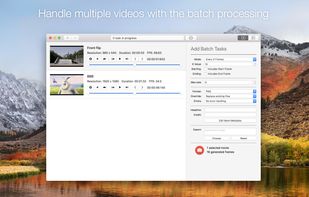
- A batch processing mode allowing you to extract thousands images concurrently.
SnapMotion has been designed to support big video files such as 4K movies and to extract every frame of your media if needed. The application can play every video supported natively by macOS. Moreover it can export images into all industry-standard formats including PNG, JPEG, TIFF and HEIC.
SnapMotion additional features :
- share images on social network (Facebook, Twitter, ...)
- drag and drop images to export
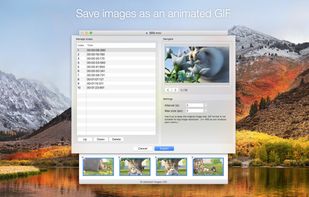
- create animated GIF from your snaps
- rotate videos directly in the player
- copy extracted images in the pasteboard
- customize output filenames
- support notifications and touch bar
This version has been optimized for macOS High Sierra and later. Moreover the application is available in 7 languages (English, French, German, Spanish, Italian, Japanese and Chinese).
Feedbacks can be sent directly from the application. In this way, you can contact us for any kind of suggestions and improvements in few clics.
